
PUESC in English: how to switch the language, a glossary of RMPD fields and the traps of auto-translation
PUESC in English exists: the portal has a Polish and an English version, with the switch at the top of the page. But the Help Desk answers the phone in Polish only, and the data you enter follow Polish rules. Below - how to switch PUESC to English, a glossary of the main buttons and every section of the RMPD100 form with its official Polish and English labels, why a browser translator is only for reading, and how to file RMPD or SENT without the portal.
 Moisa Logistics··8 min read
Key figures
In short: is PUESC available in English
Yes. PUESC in English is one click away: puesc.gov.pl has a Polish and an English version, switched with “pl / en” at the top of the page. The GITD instruction for RMPD also says the platform is available in Polish and English. For a carrier from Turkey, Georgia, Kazakhstan or another third country, that leaves three routes: switch PUESC to English, fill in the Polish form with the glossary below, or file RMPD and SENT through the Moisa Logistics account in English.
Two rules apply on every route: field data in Latin letters only, and a browser translator for reading only. What PUESC is and which forms are filed there is covered in the PUESC guide for carriers; how to create an account and log in - in PUESC registration and login. This article is about language.
Which languages PUESC and related services use
| What | Languages | What it means for you |
|---|---|---|
| The puesc.gov.pl portal: menu, service descriptions, form names | Polish, English | the “pl / en” switch at the top; no other language versions |
| RMPD fields and confirmation | Polish, English | the PUESC technical specification gives every field a Polish and an English label - see the glossary below |
| Help Desk SISC phone | Polish only | in writing - helpdesk-eclo@mf.gov.pl; all contacts in PUESC helpdesk phone |
| GITD RMPD leaflet and the substitute document form | Polish, English, Russian | the form is needed only when PUESC is down |
| The e-TOLL PL app | Polish, English, German, Ukrainian, Russian | change it in “Ustawienia” (Settings) → “Język aplikacji” |
| The etoll.gov.pl website | Polish, English, German, Ukrainian, Russian | the e-TOLL line speaks Polish, English or Russian |
| The Moisa Logistics account | English, Ukrainian, Polish, Romanian | RMPD and SENT without your own PUESC login |
How to switch PUESC to English
- The switch. At the top of puesc.gov.pl - “pl” and “en”. On service pages it is labelled “Język:”, in the English version “Language:”.
- The menu. After switching, “Usługi” becomes “Tax and customs services”, “Formularze” - “Forms”, “Aktualności” - “News”, “POMOC” - “Help”.
- The forms. RMPD form names are in English too, e.g. “RMPD100 - Registration of the transport by the carrier [SENT]”. The GITD instruction also names the loaded-trip tick box in field 3.2 in English - “journey with goods”.
- Sending. The button is “Zatwierdź”, in English “Confirm”. The number appears on screen, in “Mój pulpit | Dokumenty” (“My desktop | Documents”) and by e-mail if you entered one in the form.
English helps you understand what the form asks, but the data you type do not depend on the language: the same codes, numbers and Latin letters. Some materials exist only in Polish - for example the SENT substitute document form used when the register is down.
PUESC glossary: menu and buttons
| PUESC in Polish | In the English version of PUESC |
|---|---|
| Załóż konto | Create account |
| Zaloguj się | Login |
| Usługi | Tax and customs services |
| Formularze | Forms |
| Aktualności | News |
| POMOC | Help |
| Język: pl / en | Language: pl / en |
| PODSTAWOWY ZAKRES UPRAWNIEŃ | BASIC SCOPE OF AUTHORIZATION |
| RMPD100 - Rejestracja przewozu przez przewoźnika [SENT] | RMPD100 - Registration of the transport by the carrier [SENT] |
| RMPD - Aktualizacja [SENT] | RMPD - Supplement, Update, Cancel [SENT] |
| RMPD406 - Sprawdzenie ważności zgłoszenia przewozu wraz z ostatnią pozycją GPS [SENT] | RMPD406 - Verifying the validity of the RMPD notification [SENT] |
| Zatwierdź | Confirm |
| Mój pulpit | Dokumenty | My desktop | Documents |
Company registration also uses “Dalej” (next), “Wygeneruj dokument” (generate the document), “Podpisz” (sign), “Wyślij” (send) and the “Sprawy” (cases) tab, where an application shows “w toku” - under review.
RMPD100 glossary: sections and fields
The Polish and English labels are those of the PUESC technical specification for RMPD: this is how fields are labelled in the notification itself and in the confirmation with the number.
| PUESC in Polish | In the English version of PUESC | What to enter |
|---|---|---|
| Informacje o przewoźniku: Pełna nazwa, Rodzaj identyfikatora, Numer identyfikatora, Adres | Information on the carrier: Full name, Identification type, Identification number, Address | Carrier name, identifier type and number (non-EU company - INNY and the national company code), address |
| Informacje o transporcie towarów | Information on the transport of goods | The trip block: dates, countries, cargo, document, permit, route |
| Data rozpoczęcia przewozu towaru / Data zakończenia przewozu towaru | Start date / End date of the carriage of goods | Start and end of the carriage in Poland |
| Informacje o państwie załadunku towaru / o państwie rozładunku | Information on the load country / on the unload country | Country of loading / unloading |
| Informacja o ładunku: Z ładunkiem / Bez ładunku | Information about transported goods: With goods / Without goods | With or without cargo; for an empty run sender, recipient and CMR are not entered |
| Typ dokumentu przewozu, Numer dokumentu przewozu | Transport document type, Transport document number | CMR and its number exactly as printed |
| Typ realizowanego przejazdu: Transport bilateralny, Transport tranzytowy, Transport kraje trzecie, Kabotaż | Type of transport performed: Bilateral transport, Transit transport, 3rd country transport, Cabotage | Bilateral, transit, third-country or cabotage |
| Wybór typu zezwolenia lub zwolnienia z obowiązku posiadania zezwolenia: Blankiet jednorazowy, Zezwolenie EKMT, Kabotażowe, Zwolnienie z obowiązku posiadania zezwolenia | Selecting the type of permit or exemption from the obligation to have a permit: Disposable permit, EKMT permit, Cabotage, Exemption from the obligation to have a permit | Permit or exemption: single-journey permit, ECMT, cabotage, exemption from a permit |
| Kierunek przejazdu: Pierwszy przejazd / Przejazd powrotny zgodnie ze wzorem zezwolenia | Journey direction: First journey / Return journey in accordance with the permit template | First journey (outbound) or return journey |
| Poprzedni RmpdNumber | Previous RmpdNumber | Only when a trip continues after the 10 days |
| Miejsce wjazdu na terytorium Polski / Miejsce wyjazdu poza terytorium Polski | Place of entrance to Poland / Place of exit from Poland | Border crossing from the PUESC dictionary, e.g. Dorohusk or Korczowa |
| Miejsce rozpoczęcia przejazdu / Miejsce zakończenia przejazdu, Województwo | Place of start / end of the journey, Province | An address in Poland with the voivodeship |
| Informacje o nadawcy / Informacje o odbiorcy | Information on the sender / on the recipient | CMR boxes 1 and 2 |
| Informacje o środku transportu: Kraj pojazdu, Numer rejestracyjny ciągnika | Information on the means of transport: Vehicle country, Vehicle registration number | Tractor country and plate |
| Kraj naczepy/przyczepy, Numer rejestracyjny naczepy | Trailer country, Trailer registration number | Trailer or semi-trailer country and plate |
| Numer urządzenia/lokalizatora GPS, Numer zapasowego lokalizatora GPS | GPS locator number, Backup GPS device number | OBU, ZSL or e-TOLL PL locator and an optional backup |
| Informacje dodatkowe: Uwagi do zgłoszenia, Numer własny zgłoszenia | Additional information: Comments to the notification, Own number of the notification | Remarks (e.g. other CMRs) and your own reference |
| Kanały komunikacji zwrotnej: Adresy e-mail | Feedback communication channel: E-mail addresses | The e-mail that receives a copy |
| Oświadczenia: Imię i nazwisko | Declarations: Full Name | Confirmation that you are authorised to file, and the filer’s name |
The confirmation also shows “Status zgłoszenia” (Notification status): Zarejestrowane (Registered), Niekompletne (Incomplete), Kompletne (Complete), Zamknięte (Closed), Anulowane (Canceled), Zamknięte automatycznie (Closed automatically). How to fill in each field on three typical trips is shown in RMPD 100: filled-in example.
Translating PUESC in the browser: be careful
The Chrome or Edge translator turns PUESC into your language in a second, and for reading service descriptions that is handy. For filling in forms our advice is to switch it off:
- Translation rewrites everything shown as text: field labels, list options, names of crossings and countries from the dictionary. What you see is no longer what PUESC holds.
- Do not type or copy data through a translated page. What you copy from a translation is a translation, not the form value: a company name, street or town gets “translated” and the notification ends up with something other than your documents.
- Translation can interfere with the form itself: it rewrites page text on the fly. If a button stops responding or a field disappears, turn translation off (“Show original”) and reload the page.
- Check before “Zatwierdź” on an untranslated page - Polish, or English through the PUESC switch - every field against the CMR and registration certificates.
Document translation is a separate matter: when a foreign company registers in PUESC, it attaches its registration documents with a working translation into Polish. What exactly to attach is explained in PUESC authorisation.
Latin letters in fields: what PUESC rejects
- Letters. PUESC accepts the Latin alphabet and Polish letters; Cyrillic and letters such as ş, ğ or č are rejected (rule R01). Write the company name, address and names in Latin letters as in the licence, CMR or passport.
- Plates. Latin letters and digits, no spaces or hyphens; zero and the letter O are different characters.
- Identifier. A non-EU company - INNY and its national company code; the NIP type only for a Polish NIP, because PUESC checks its checksum.
- Crossings. Only from the PUESC dictionary, not a town near the border.
Common mistakes
- Typing your PUESC password anywhere other than puesc.gov.pl. There is one portal and no translated copy of it.
- Mixing up “Z ładunkiem” and “Bez ładunku”. An empty run marked “with goods” makes the form demand sender, recipient and CMR.
- Expecting English on the Help Desk phone. The website is in English, the phone line is not.
Without PUESC: RMPD and SENT in the Moisa Logistics account
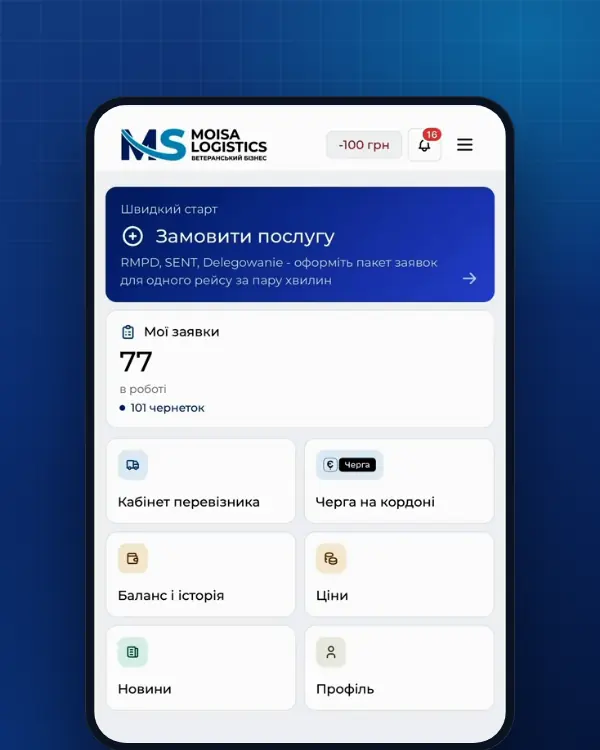
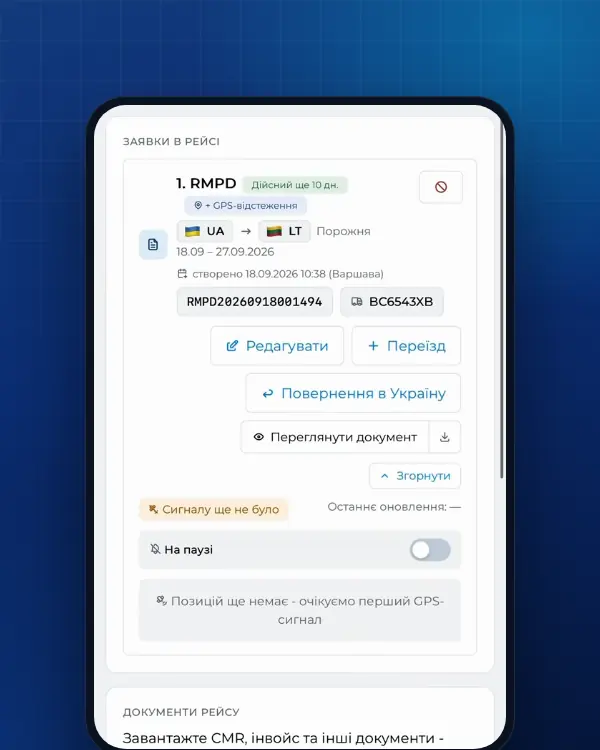
The Moisa Logistics account works in English, and you do not need your own PUESC login. In the RMPD form the main sections also carry the Polish PUESC name: “Przewoźnik (carrier)”, “Pojazd (vehicle)”, “Nadawca (sender)”, “Odbiorca (recipient)”. Fields are checked before anything is sent: letters, numbers, locator. An RMPD or SENT file downloaded from PUESC can be loaded with the “Fill in from a PUESC document” button - carrier, vehicle, dates and route fill in by themselves.
Self-service in the account - 100 UAH per document, the first 10 days at 0 UAH, RMPD 406 tracking included. Full service: you send the trip data in English and we fill in and file it - 500 UAH. SENT - at the same prices.
Frequently asked questions
Sources
- PUESC - strona główna: wersje językowe pl i en; menu Usługi, Usługi sieciowe, Formularze, Aktualności, POMOC; Załóż konto, Zaloguj sięchecked 21 November 2026
- PUESC (EN) - home page: Tax and customs services, Network services, Forms, News, Help, Create account, Login, Language: pl / enchecked 21 November 2026
- PUESC - Wyślij zgłoszenie przewozu (RMPD): złożenie i aktualizacja zgłoszeniachecked 21 November 2026
- PUESC (EN) - Send a transport notification (RMPD): RMPD100 - Registration of the transport by the carrier [SENT], RMPD - Supplement, Update, Cancel [SENT], RMPD406 - Verifying the validity of the RMPD notification [SENT], BASIC SCOPE OF AUTHORIZATION, Confirm, My desktop | Documentschecked 21 November 2026
- PUESC - archiwum RMPD_v20.11.2024: Specyfikacja Techniczna Komunikatów Systemu RMPD i arkusze XSL RMPD_100 i RMPD_110 - etykiety pól zgłoszenia i potwierdzenia po polsku i po angielsku („Wybierz język”), statusy zgłoszenia; reguła R01 (znaki łacińskie)checked 21 November 2026
- GITD - Zgłoszenie międzynarodowych przewozów drogowych w rejestrze zgłoszeń SENT - Rejestr RMPD (instrukcja)checked 21 November 2026
- gov.pl/web/gitd - SENT i Rejestr RMPDchecked 21 November 2026
- GITD - Dokument zastępujący zgłoszenie (RMPD), wzór edytowalny PDF z opisami pól po polsku, angielsku i rosyjsku oraz objaśnieniami (załącznik do Dz.U. 2024 poz. 1604)checked 30 October 2026
- PUESC - SENT dokument zastępujący zgłoszenie (formularz PDF do wypełnienia, wzór z załącznika do rozporządzenia MF z 28.08.2019)checked 30 October 2026
- PUESC - Pomoc: Help Desk SISC, wsparcie telefoniczne tylko w języku polskimchecked 21 November 2026
- PUESC - Instrukcja „krok po kroku”: rejestracja na PUESC danych firm i ich reprezentantów (Dalej, Wygeneruj dokument, Podpisz, Wyślij, Sprawy, „w toku”, dokumenty firmy zagranicznej z tłumaczeniem roboczym na język polski)checked 19 November 2026
- e-TOLL - Podręcznik użytkownika aplikacji mobilnej e-TOLL PL v. 3.13: języki, identyfikator biznesowy, przejazd SENT/RMPD i łączony, komunikaty w trakcie przejazdu, Lokalizacja GPS (SENT/RMPD 406)checked 21 November 2026
- e-TOLL - Aplikacja e-TOLL PL: wersje językowe serwisu etoll.gov.pl PL, EN, DE, UA, RUchecked 21 November 2026
- e-TOLL - Kontakt: infolinia +48 22 460 59 77 po polsku, angielsku i rosyjskuchecked 21 November 2026
Need documents for a trip?
Create a free account and prepare the document in your account - by yourself or with our team’s hands. Or leave a request: we will call you and tell you what you need for your particular trip.
More news

We are on TikTok
How to prepare documents from your phone, what is changing for carriers and where to save - in short videos.