
PUESC forgot password, no e-mail, account locked: how to get back into PUESC
PUESC forgot password is the problem that usually appears on the morning of a trip, when an RMPD or SENT has to be filed now. Using the official PUESC pages, we explain how to reset the password, why the e-mail does not arrive, what to do after three failed attempts or without the phone running Google Authenticator, how to change a login e-mail you can no longer open, and what to do when the person who created the account has left the company.
 Moisa Logistics··9 min read
Key figures
In short: PUESC will not let you in
When PUESC will not let you in, find the cause first. A forgotten password you reset yourself via “Nie pamiętasz hasła?”, a lockout after three wrong passwords clears by itself in 30 minutes, and without access to the mailbox the login is changed through a special procedure or in person. A PUESC account is personal: if the person who created it has left, the new employee opens their own.
| What you see | Likely cause | What to do |
|---|---|---|
| The password does not work | forgotten password, Caps Lock or another keyboard layout | “Nie pamiętasz hasła?” - see below |
| After three tries nothing works | 30-minute lockout | wait or call Help Desk SISC |
| The reset e-mail does not arrive | a different address from the login, spam, a dead mailbox | the checks below, then a login change |
| The login mailbox no longer exists | closed, or the private mailbox of a former employee | special login change procedure or a customs and tax office |
| PUESC asks for a Google Authenticator code | two-factor login is on | “Wygeneruj jednorazowy kod” by e-mail |
| You are in, but cannot see the company’s notifications | the link to the company is unconfirmed or has ended | WPE0001 and an authorisation |
| Forms fail for everyone | an outage of the portal itself | the outage procedure - see PUESC is down |
This guide covers account access only. Registering from scratch is explained in PUESC registration and login, and the forms a carrier needs in PUESC for carriers.
PUESC forgot password: the reset step by step
Your PUESC login is the e-mail address you registered with, not your name and not your SISC ID. The reset, following the official “Logowanie do konta PUESC” page:
- “Zaloguj się”on puesc.gov.pl, then “Nie pamiętasz hasła?” in the login window
- E-mail (login)exactly the address that is your login, with no space at the start or end
- Image codethe characters from the picture must be entered correctly
- “Wyślij”if the data is correct, you receive an e-mail with a link and instructions
- New passwordset it through the link and log in with it
The e-mail is only sent when the data is correct. Not sure which address is your login? Search your mailboxes for the PUESC e-mail with the activation code or your SISC ID - the address it came to is your login.
“Inne sposoby logowania” leads to Login.mf.gov.pl (Polish trusted profile, e-ID, online banking or mObywatel) - useful mainly to people living in Poland.
The PUESC e-mail does not arrive: what to check
- Spam and tabs. “Spam”, “Promotions” in Gmail, quarantine in company mail.
- The same address. Character for character as the login: dispatcher@ and dispatch@ are different mailboxes.
- A working mailbox. Not full, not closed, and someone at the company actually has access to it.
- The newest e-mail. If you sent the request several times, open the link in the latest message.
- Help Desk replies come from pomoc.informatyczna@mf.gov.pl - add it to your contacts so the ticket number does not get lost.
A separate case is the activation code for a new account. It must be entered within 24 hours of receiving the e-mail; after that the application data is deleted and you have to register again (PUESC terms of use, § 2(3)).
If the mailbox no longer exists, the e-mail will never arrive. Then you change the login itself - see below.
PUESC account locked: 30 minutes or Help Desk
Three wrong passwords in a row and the account is locked for 30 minutes. Then access comes back by itself. Do not keep guessing: after the first failure, resetting the password is the safer move.
If you cannot wait - the truck is already in the queue at Yahodyn and the RMPD is not filed - call Help Desk SISC. The consultant unlocks the account once you give your e-mail (login), your PESEL or, without a PESEL, the number of the ID document used at registration, and your first and last name.
A different case is suspension by the administrator, when a user has broken the law or the PUESC terms (§ 3(4)). Getting access back after a suspension or lock also goes through a request to Help Desk SISC under the terms (§ 2(10)).
Two-factor login without the Google Authenticator phone
If “Logowanie dwuskładnikowe” is on in “Moje dane”, PUESC asks for a Google Authenticator code after the password - except on trusted devices. The phone is lost or replaced:
- On an untrusted device choose “Nie mam dostępu do aplikacji Google Authenticator.”, then “Wygeneruj jednorazowy kod”.
- The code goes to your login e-mail; enter it in “Wprowadzenie kodu jednorazowego” and click “Zatwierdź”.
- The code is single-use and valid for 10 minutes, and this option works once a day; if you have hit the limit, call Help Desk SISC.
- Once logged in you can turn the second factor off and set it up again with the new phone.
How to change the e-mail (login) in PUESC
You can still log in
“Mój pulpit” → “Moje dane” → “Edytuj dane”, type the new address → “Zapisz dane”. From now on you log in with the new address. Do it before the old mailbox is closed.
No access to the mailbox or the account
| What you have | What to do | What happens next |
|---|---|---|
| A qualified electronic signature or a Polish trusted profile | an electronically signed request to change the login with your name, the lost and the new address - to helpdesk-eclo@mf.gov.pl with the subject exactly “ZMIANA LOGINU PUESC PROCEDURA SPECJALNA” | within 24 hours three e-mails: the ticket with a ZGL number, the closure with the resolution and the link “PUESC: Zmiana adresu e-mail” |
| No signature | in person with an ID document at the nearest customs and tax office (urząd celno-skarbowy) | PUESC gives no timeframe |
A sample message for the special procedure (made-up data):
| Field | What to write |
|---|---|
| To | helpdesk-eclo@mf.gov.pl |
| Subject | ZMIANA LOGINU PUESC PROCEDURA SPECJALNA |
| Body | Proszę o zmianę adresu e-mail dla Giorgi Beridze, rok urodzenia 1986. |
| Attachment | the request with your full name, the old address g.beridze@trans.example and the new one dispatch@trans.example, signed with a qualified signature or trusted profile |
When the link arrives, follow the instructions in the resolution. If you still cannot log in, call Help Desk and quote the ZGL number. A company from outside the EU can use the first row only with a qualified signature from a provider on the EU trusted list; the trusted profile is a Polish tool.
The person who created the account has left
The key point: a PUESC account belongs to a person, not to a company. Only a natural person can open one (PUESC FAQ 01.10), and each person may have one account (terms, § 2(4)). The company acts through the people linked to it. So the “company account” a former dispatcher once set up is really their personal account.
- Do not work under someone else’s login. Even if the company still controls the mailbox and the password can be reset, everything filed from that account is filed in that person’s name. Nor can you delete another person’s account - the PUESC FAQ answer is simply “Nie”.
- End their access to the company. If they were linked as a SENT representative, in form WPE0001 untick “Pełnomocnictwo udzielone bezterminowo”, fill in “Data końca obowiązywania pełnomocnictwa”, then generate, sign and send.
- The new employee opens their own account. For RMPD the basic scope is enough: the carrier’s details go into the RMPD100 form itself. SENT needs the extended scope with identity confirmation.
- Linking to the company for SENT - WPE0001 with an authorisation and 17 zł stamp duty for each authorised person.
What to write in the authorisation and how to pay the 17 zł is in PUESC authorisation (upoważnienie). To avoid a repeat, register accounts on company mailboxes the company will not lose, and give every dispatcher their own login.
Who to contact: Help Desk SISC
| Channel | Contact | What matters |
|---|---|---|
| Phone from mobiles and from abroad | +48 22 330 03 30 | 24/7 except a break 21:00-22:00; Polish only |
| Phone from a landline | +48 801 055 055 | same hours |
| helpdesk-eclo@mf.gov.pl | only from the address that is your PUESC login, after logging in to the CSD system at least once; subject up to 100 characters with no special characters, naming the service | |
| CSD portal | after logging in: “POMOC” → Help Desk SISC → “Nowe zgłoszenie” | confirmations come from pomoc.informatyczna@mf.gov.pl to your login e-mail |
Help Desk SISC deals with access: it changes the account e-mail when you remember neither the main nor the emergency password, restores login after three failed attempts and helps when your PESEL is already in the system. It does not fill in forms or advise on law or fines.
Calls are in Polish only. A few phrases to get started:
| Situation | In Polish |
|---|---|
| Account locked | Dzień dobry, moje konto na PUESC jest zablokowane. Proszę o odblokowanie. |
| E-mail not arriving | Nie dostaję e-maila z linkiem do zmiany hasła. |
| No access to the mailbox | Nie mam dostępu do skrzynki e-mail, która jest moim loginem. |
| You have a ticket number | Mam numer zgłoszenia ZGL… |
Why PUESC most often keeps people out
- One login shared by several dispatchers: one changes the password, the rest are stuck.
- The login is the private mailbox of an employee who has left.
- Opening a second account for the same person, although PUESC allows only one (terms, § 2(4)).
- Mistaking a portal outage for an account problem: if forms fail for everyone, the password is not the issue.
No PUESC login of your own: the Moisa Logistics account
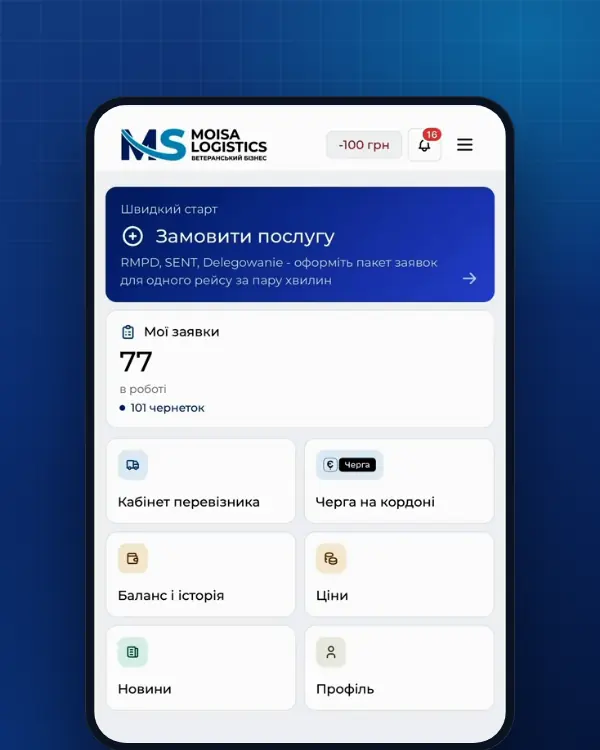
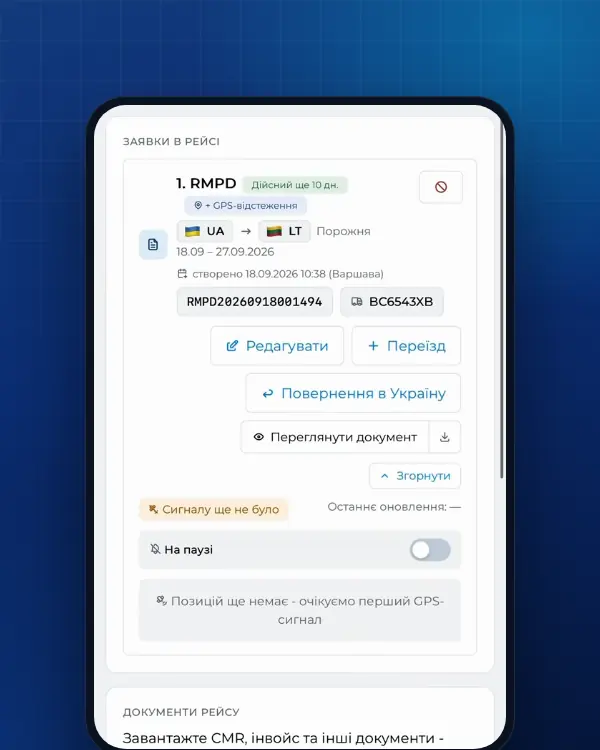
The trip does not have to wait while you recover access. The Moisa Logistics team files RMPD and SENT from our access or from your company’s PUESC account connected in your Moisa Logistics account - whichever suits you. You see the number, status and document in the account, and the driver sees them in the Moisa Logistics app. No PUESC login of your own is needed.
- RMPD full service and SENT full service - 500 UAH per document;
- RMPD self-service and SENT self-service in the account - 100 UAH, the first 10 days at 0 UAH;
- PUESC registration if you want your own access - 500 UAH.
Frequently asked questions
Sources
- PUESC - Logowanie do konta PUESC: login (adres e-mail), „Nie pamiętasz hasła?” (e-mail i kod z obrazka, „Wyślij”), blokada 30 minut po trzech błędnych hasłach i odblokowanie przez Help Desk SISC (e-mail, PESEL lub numer dokumentu), logowanie dwuskładnikowe i kod jednorazowy (10 minut, raz na dobę), zmiana loginu po zalogowaniu („Edytuj dane”, „Zapisz dane”), procedura specjalna „ZMIANA LOGINU PUESC PROCEDURA SPECJALNA” (ZGL, 24 godziny) lub wizyta w urzędzie celno-skarbowym, Login.mf.gov.plchecked 21 November 2026
- PUESC - Pomoc: Help Desk SISC - +48 22 330 03 30 (komórka i zagranica), +48 801 055 055 (stacjonarny), całodobowo z przerwą 21:00-22:00, tylko po polsku; helpdesk-eclo@mf.gov.pl z adresu będącego loginem, po zalogowaniu do CSD, temat do 100 znaków; portal CSD „Nowe zgłoszenie”, potwierdzenia z pomoc.informatyczna@mf.gov.pl; zakres: zmiana e-maila przy zapomnianym haśle podstawowym lub awaryjnym, przywrócenie logowania po trzech błędnych próbach, PESEL już w systemie; bez pomocy w wypełnianiu formularzychecked 21 November 2026
- PUESC - Regulamin korzystania z PUESC, wersja od 16.06.2026: § 2 ust. 3 (aktywacja kodem w 24 godziny, inaczej dane wniosku usuwane), § 2 ust. 4 (jedno konto), § 2 ust. 10 (odzyskanie dostępu przez wniosek do Help Desk SISC), § 3 ust. 4 (zawieszenie dostępu)checked 21 November 2026
- PUESC - FAQ SENT, 01. Rejestr zgłoszeń SENT (01.10: konto na PUESC może założyć tylko osoba fizyczna)checked 21 November 2026
- PUESC - FAQ: Usuwanie konta na PUESC (nie można usunąć konta innej osoby; własne konto można usunąć i założyć ponownie; dane firmy usuwa osobna usługa)checked 21 November 2026
- PUESC - Usuń konto na PUESC: po usunięciu brak powiązania z firmą, numeru ID SISC i dostępu do dokumentów; dane w SISC pozostająchecked 21 November 2026
- PUESC - FAQ: Aktualizacja powiązań (firma - reprezentant), WPE0001: zakończenie reprezentacji - odznaczenie „Pełnomocnictwo udzielone bezterminowo” i „Data końca obowiązywania pełnomocnictwa”checked 21 November 2026
- PUESC - Powiąż reprezentanta z firmą (formularz WPE0001 [SZPROT]): IDSISC / NIP / EORI firmy, uprawnienie do zgłoszeń SENT, konto z rozszerzonym zakresem uprawnieńchecked 21 November 2026
- PUESC - Załóż konto lub sprawdź swoje dane: podstawowy i rozszerzony zakres uprawnień, potwierdzenie tożsamościchecked 21 November 2026
- PUESC - Wyślij zgłoszenie przewozu (RMPD): złożenie i aktualizacja zgłoszeniachecked 21 November 2026
- Ustawa z dnia 16 listopada 2006 r. o opłacie skarbowej, tekst jednolity Dz.U. 2026 poz. 1395: załącznik część IV - 17 zł od pełnomocnictwachecked 21 November 2026
Need documents for a trip?
Create a free account and prepare the document in your account - by yourself or with our team’s hands. Or leave a request: we will call you and tell you what you need for your particular trip.
More news

We are on TikTok
How to prepare documents from your phone, what is changing for carriers and where to save - in short videos.