How to check SENT in Poland: notification status in PUESC, number, locator and whether your goods need SENT
How to check SENT when the load is already on the truck and the driver asks whether the number is real? The status and number of a notification are checked in PUESC without logging in, the vehicle’s position in SENT406 or e-TOLL PL, and the CN code and threshold decide whether the goods need SENT at all. We walk through every check with the names of forms, fields and statuses, and what to do when the status is wrong.
 Moisa Logistics··9 min read
Key figures
How to check SENT: the short answer
You can check SENT without logging in to PUESC: on puesc.gov.pl open form SENT402 “Sprawdzenie ważności zgłoszenia przewozu [SENT]”, enter the SENT notification number and the vehicle registration number, press “Zatwierdź”, and the system shows the notification status, creation date, name of the goods and the carrier. The last GPS position is shown by form SENT406 or by “Lokalizacja GPS (SENT/RMPD 406)” in the e-TOLL PL app, while the CN code and the weight or volume of the consignment on the PUESC list decide whether the goods need SENT.
SENT is Poland’s electronic system for monitoring the carriage of “sensitive” goods, run by the National Revenue Administration (KAS); notifications are filed and checked through the PUESC portal. Who files which form is covered in “What is SENT in Poland”; here we deal only with the checks.
How do I check the status of a SENT notification?
The status of a SENT notification is shown in the reply to form SENT402 - “SENT412 - Potwierdzenie ważności numeru SENT”, with a “Status zgłoszenia” field holding one of six values. The service is free, works without a login, and PUESC advises checking the number before the carriage starts.
- On puesc.gov.pl open the service “Sprawdź ważność zgłoszenia przewozu towarów” and form SENT402.
- Fill in “numer referencyjny zgłoszenia SENT” (SENT and 14 digits) and “numer rejestracyjny środka transportu” - the registration of the tractor unit carrying the goods.
- Press “Zatwierdź” and read the reply: “Data utworzenia zgłoszenia przewozu towaru” (creation date), “Status zgłoszenia”, “Nazwa towaru” (goods) and “Informacje o przewoźniku towaru” (carrier).
| Status in SENT402 | What it means | What to do |
|---|---|---|
| “Zarejestrowane” (Registered) | The notification is in the register | Make sure the carrier has completed its part before departure |
| “Niekompletne” (Incomplete) | Data is missing, including the carrier’s part | The carrier adds the vehicle, trailer, locator, dates and CMR before the carriage starts (art. 5(4), art. 6(3)) |
| “Kompletne” (Complete) | Complete, with the carrier’s data | You can go, if the vehicle and locator in it match the trip |
| “Zamknięte” (Closed) | Carriage closed, for example the recipient in Poland confirmed receipt | New trip - new notification |
| “Anulowane” (Canceled) | Cancelled before the carriage started | Do not drive on this number |
| “Zamknięte automatycznie” (Automatically closed) | The system closed it after 10 days (PUESC FAQ 04.33) | The number has lapsed (art. 11): new notification, new number |
The status names and English labels come from the technical specification of SENT messages on PUESC. Whoever filed sees the number and keys on screen, in “Mój pulpit | Dokumenty” and by e-mail; after logging in, form SENT_EDIT also shows the status.
How do I check the SENT number and the carrier key?
You check the SENT number with the same form SENT402: a correct number is “SENT” plus 14 digits with no spaces, valid for 10 days from issue (art. 11(1)), and the form looks it up together with the registration of the vehicle that will carry the goods (PUESC FAQ 01.08). The number goes to whoever files: the sender for a SENT-100, the Polish recipient for a SENT-200 or the carrier itself for a SENT-300; the carrier passes it to the driver before departure (art. 10(2)).
- Carrier key - “KD-” plus four characters - comes with the number; the dispatcher uses it to complete the carrier’s part, and request SENT-400 verifies keys and previews the notification. The driver does not need the key.
- Deadline passed - the trip continues only with a new notification and number (art. 11(2)). Keep old numbers: a penalty can be imposed for 5 years (PUESC FAQ 04.23).
How do I know if my goods need SENT?
Whether goods need SENT depends on the CN code and the gross weight or volume of the consignment: find the invoice code in the PUESC list “Wykaz towarów objętych systemem monitorowania” (in force from 31.10.2026) and compare the quantity with the threshold in the “Warunki stosowania” column. The party filing the notification is responsible for the correct code (PUESC FAQ 03.18).
- Take the CN code from the invoice, not the description in the CMR - how, in “Goods code for SENT and T1 in 2 minutes”. If in doubt, use the ISZTAR4 tariff browser.
- Find the heading on the list: usually 4 digits, and “ex” narrows it to the goods described - “ex 1205” means rapeseed only (FAQ 03.20).
- Work out the consignment: goods of one 4-digit CN heading from one sender to one recipient, to one place, in one vehicle (art. 3(3), FAQ 03.07). For fuels, exceeding either limit - weight or volume - is enough (FAQ 03.08).
- Check exemptions: small packages (2710 up to 11 l - FAQ 03.03), movements under an e-AD (FAQ 03.10), customs procedures for goods named in the Act (art. 3(6)).
| Goods | CN code | Threshold per consignment |
|---|---|---|
| Fuels, lubricating oils, greases | 2710, 3403 and others on the list | over 500 kg gross or 500 l |
| Vegetable oils | 1507-1518 | over 500 kg gross or 500 l |
| Wheat, maize, rapeseed | ex 1001, 1005, ex 1205 | over 10,000 kg gross |
| Natural honey | 0409 00 00 | over 10 kg gross |
| Clothing | chapters 61 and 62, 6309 00 00 | over 31.5 kg gross |
| Footwear | chapter 64 (excluding parts of footwear 6406) | over 64 items |
Farm products, clothing and footwear have separate exemptions, and the PUESC list is not a source of law. The full list is in “SENT goods list 2026”. If the code is not on the list, SENT is not needed.
What does the driver check before departure?
Before departure the driver checks three things: that they have the SENT number of this very carriage, that SENT402 finds the notification with their vehicle number without the status “Anulowane” or “Zamknięte”, and that the locator is sending a position visible in SENT406. The driver must hold the number when the carriage starts (art. 10(3)) and must refuse to start without it (art. 10(4)).
- Number - on the phone and, as a backup, on paper: the Act speaks of a number, not a printed form.
- Locator in the notification - the identyfikator biznesowy (business ID) of e-TOLL PL or the business number of the OBU/ZSL device in this vehicle. New phone - new ID and an updated notification.
- e-TOLL PL - in “Konfiguruj przejazd”, “Przejazd SENT/RMPD” is on, the notification is selected and “Rozpocznij przejazd” is pressed.
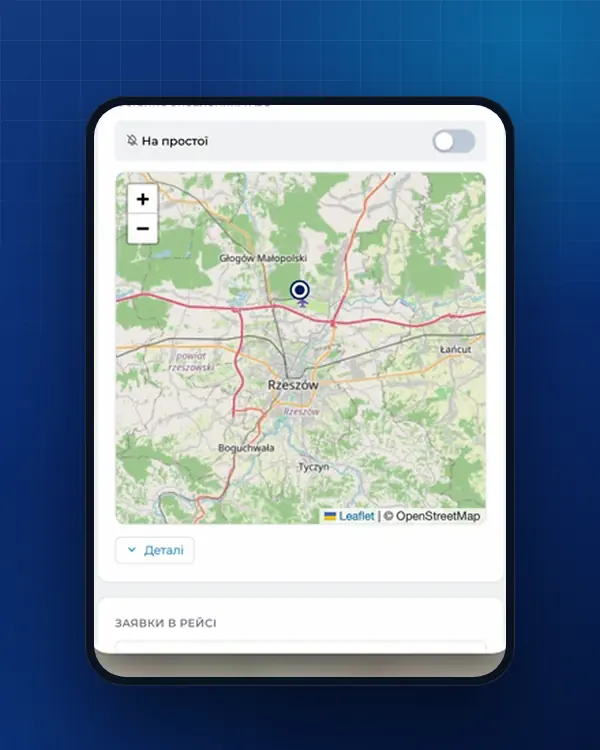
- Position - “Lokalizacja GPS (SENT/RMPD 406)” in e-TOLL PL (“Id lokalizatora”, notification number, registration, “Wyszukaj”) or SENT406 on PUESC shows the last position with the time it was recorded.
- When to switch on - goods loaded in Poland: before leaving the first loading place; imports or transit: when the carriage in Poland begins, for example at Dorohusk after Yahodyn (art. 10b).
SENT406 shows a position only if the notification is valid, complete and the data has reached SENT-GEO, sometimes with a slight delay (PUESC FAQ 07.20). Phone setup - in “SENT on the driver’s phone”.
How is SENT checked at a KAS or ITD roadside check?
On the road SENT is checked by the Customs and Tax Service (KAS), the police, the Border Guard and ITD inspectors: the driver gives the SENT number, shows the transport documents and lets them inspect the goods, take a sample and check the locator (art. 13(2)-(5)). With access to register data (art. 12(1)), they check that the notification was filed and updated, matches the load and that geolocation is flowing (art. 13(1)). A quantity or weight difference of up to 10 % is not a breach (art. 23). Ask for a copy of the inspection record (art. 13(7)). With no notification, the trip continues once it is filed and the number received, unless the vehicle was detained (art. 14).
What if the SENT status is wrong?
If SENT402 shows the wrong status or cannot find the notification, do not set off: a changed vehicle, date or locator is updated in the same notification with form SENT_EDIT, while an error in the goods or a cancelled or expired number can only be fixed with a new notification and a new number.
| What you see | Cause | What to do |
|---|---|---|
| SENT402 does not find the notification | A typo in the SENT or vehicle number, or another vehicle in the notification | Compare the number with whoever filed; vehicle changed - update without delay (art. 8(1)) |
| “Niekompletne” before departure | The carrier has not completed its part | Complete it before departure, otherwise PLN 10,000 for the carrier (art. 22(2)) |
| Error in the goods: quantity, CN code | Goods data cannot be updated (art. 8(2)) | New notification before departure; cancel the old one while the carriage has not begun, with a note in the “uwagi” field (PUESC FAQ 04.04) |
| “Anulowane”, “Zamknięte automatycznie” or 10 days passed | The number has lapsed (art. 11(1)) | New notification and new number (art. 11(2)) |
| SENT406 shows no position | The locator is not sending data or the notification has another locator number | e-TOLL PL - check the app is on and set up for SENT; OBU/ZSL - contact the operator (PUESC FAQ 07.20). Over an hour without signal - stop at the nearest car park (art. 10c) |
| The register or SENT402 is down | The register or service is unavailable | Substitute document with the acceptance confirmation (art. 9(5)-(6)); without SENT402 - wait for the number from whoever filed (PUESC) |
Technical problems go to the PUESC Help Desk: +48 22 330 03 30, around the clock except the 21:00-22:00 break, helpdesk-eclo@mf.gov.pl; it does not advise on goods codes or penalties. The whole procedure with the legal basis is in “SENT procedure in Poland step by step”.
How we help and what it costs
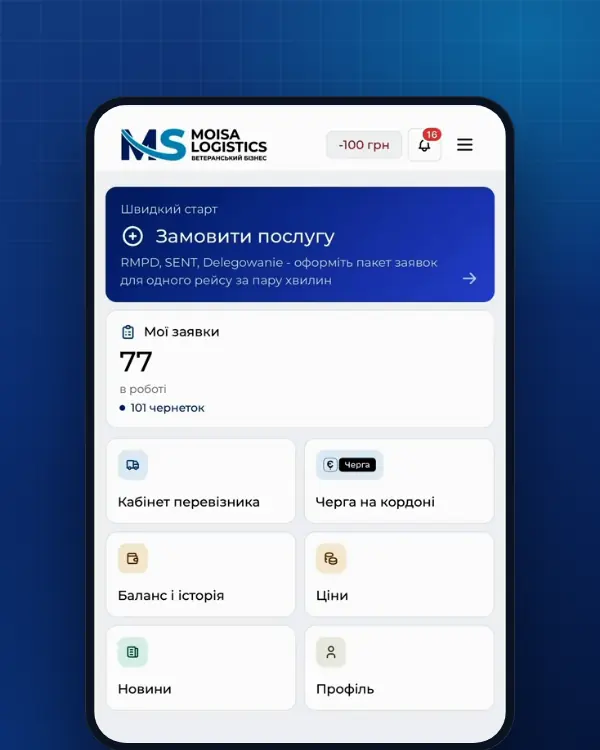
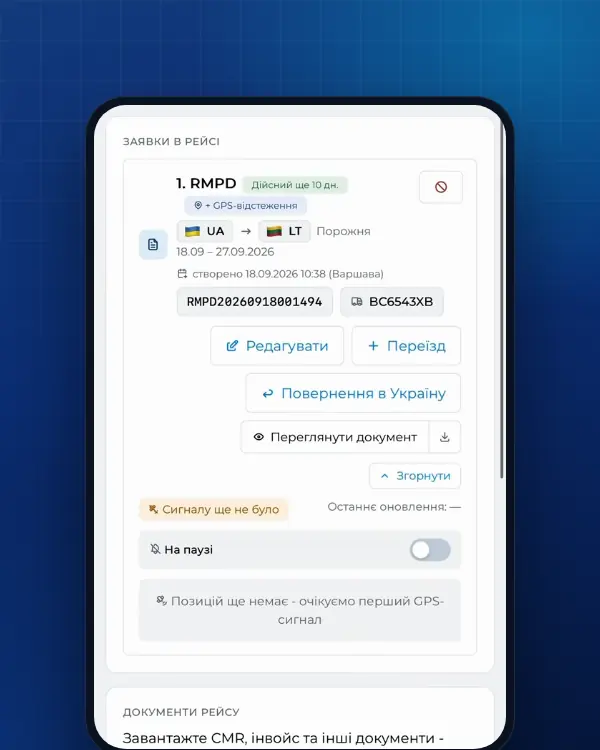
With full service the Moisa Logistics team checks the CN code, units and locator, and we file the SENT in PUESC for you - 500 UAH per document (SENT full service). In self-service in the account, the CN code is picked from the SENT list by code or name - 100 UAH, first 10 days - 0 UAH (SENT self-service). The number comes back into the order, and the driver sees the SENT in the Moisa Logistics app under the trip documents: the number, the “valid until” date and the PDF. Filing in PUESC itself is free of charge. Forms 100, 200 and 300 explained simply - in “SENT-100, 200, 300 in plain words”.
Frequently asked questions
Sources
- PUESC - Sprawdź ważność zgłoszenia przewozu towarów (formularz SENT402, bez logowania)checked 21 November 2026
- PUESC - Sprawdź dane geolokalizacyjne środka transportu (formularz SENT406, bez logowania)checked 21 November 2026
- PUESC - Przewóz towarów objęty monitorowaniem SENTchecked 21 November 2026
- PUESC - Zgłoszenie przewozu rozpoczynającego się w Polsce (SENT-100): potwierdzenie z numerem referencyjnym i kluczami dla przewoźnika i podmiotu odbierającegochecked 21 November 2026
- PUESC - FAQ SENT, 01. Rejestr zgłoszeń SENT na portalu PUESC (01.02 numer referencyjny i klucze, 01.08 jak sprawdzić, czy numer referencyjny jest ważny; Help Desk: +48 22 330 03 30, przerwa 21:00-22:00, brak wsparcia w klasyfikacji towarów i karach)checked 21 November 2026
- PUESC - FAQ SENT, 03. Towary podlegające zgłoszeniu przewozu (03.03 opakowania do 11 l, 03.07 przesyłka = 4-cyfrowa pozycja CN, 03.08 masa albo objętość, 03.10 e-AD, 03.18 jak ocenić, czy towar podlega SENT, ISZTAR4, 03.20 przedrostek „ex”)checked 21 November 2026
- PUESC - FAQ SENT, 04. Zgłoszenie przewozu towaru, uzupełnianie i aktualizowanie (04.04 błąd w ilości - nowe zgłoszenie i adnotacja w „uwagi”, 04.05 ważność 10 dni, 04.23 przechowywanie numerów 5 lat, 04.33 automatyczne zamknięcie po 10 dniach)checked 21 November 2026
- PUESC - FAQ SENT, 07. Obsługa zewnętrznych systemów lokalizacji ZSL/OBU (07.20 brak danych w SENT406: operator OBU/ZSL albo konfiguracja e-TOLL PL, opóźnienie danych)checked 21 November 2026
- PUESC - Specyfikacja techniczna komunikatów systemu SENT, wersja 5.01 z 18.01.2021 (SENT402, SENT412 i SENT416: pola odpowiedzi i statusy zgłoszenia 0-5 - Zarejestrowane, Niekompletne, Kompletne, Zamknięte, Anulowane, Zamknięte automatycznie; SENT400 weryfikacja kluczy)checked 21 November 2026
- PUESC - Repozytorium wzorów dokumentów elektronicznych: SENT-400, zapytanie o weryfikację kluczy i pobranie podglądu zgłoszeńchecked 21 November 2026
- PUESC - schemat XSD systemu SENT (STypes.xsd): numer referencyjny SENT + 14 cyfr, klucz przewoźnika KD-, numer lokalizatorachecked 21 November 2026
- Ustawa o systemie monitorowania drogowego i kolejowego przewozu towarów (SENT), tekst jednolity Dz.U. 2024 poz. 1218: art. 2, 3 ust. 6, 5-11, 13-17, 21-24, 31-32 (dla RMPD - przez art. 28b ust. 5 ustawy o transporcie drogowym)checked 21 November 2026
- PUESC - Wykaz towarów objętych systemem monitorowania, obowiązuje od 31.10.2026 (ten sam plik co od 28.10.2026, pobrany 30.10.2026: oleje CN 1507-1518 > 500 kg / 500 l, odzież > 31,5 kg, obuwie > 64 szt.)checked 21 November 2026
- Obwieszczenie MF z 01.07.2024 - tekst jednolity rozporządzenia MF z 25.04.2022 w sprawie towarów, których przewóz jest objęty systemem monitorowania (SENT), Dz.U. 2024 poz. 1157: § 1 pkt 1, 4, 9, § 2 ust. 1, 4, 9checked 30 October 2026
- Rozporządzenie MFiG z 18.06.2026 zmieniające rozporządzenie w sprawie towarów objętych SENT: odzież powyżej 31,5 kg, obuwie powyżej 64 sztuk, nowy § 2 ust. 10 (wyłączenia), Dz.U. 2026 poz. 813checked 30 October 2026
- e-TOLL - Aplikacja mobilna e-TOLL PL: instrukcja korzystania dla przejazdów SENT/RMPD (identyfikator biznesowy, Przejazd SENT/RMPD, Lokalizacja GPS SENT/RMPD 406, status baterii i GPS)checked 21 November 2026
Need documents for a trip?
Create a free account and prepare the document in your account - by yourself or with our team’s hands. Or leave a request: we will call you and tell you what you need for your particular trip.
More news


We are on TikTok
How to prepare documents from your phone, what is changing for carriers and where to save - in short videos.