PUESC helpdesk phone: Help Desk SISC number, e-mail and hours for SENT, RMPD and e-TOLL
The PUESC helpdesk phone is Help Desk SISC: +48 22 330 03 30 from mobiles and from abroad, around the clock except 21:00-22:00, and in Polish only. Below are all official phone numbers and addresses for SENT, RMPD, e-TOLL and GITD, checked on 21.11.2026, the rules for writing to helpdesk-eclo@mf.gov.pl, what to prepare before you call and what the Help Desk will not do.
 Moisa Logistics··7 min read
Key figures
In short: the PUESC helpdesk phone
The PUESC helpdesk phone line is Help Desk SISC. From a mobile and from abroad - from a Turkish, Georgian, Kazakh or any other foreign number - call +48 22 330 03 30; the number 801 055 055 works only from a landline in Poland. Consultants are available around the clock except a technical break from 21:00 to 22:00, and phone support is in Polish only. In writing - helpdesk-eclo@mf.gov.pl, and only from the address that is your PUESC login.
The Help Desk deals with technical matters of the portal: login, account, form errors, outages. It will not fill in an RMPD or SENT with you and will not explain the law or fines. Below are all official contacts in one table, the e-mail rules, what to prepare before you call and what to do when PUESC is down.
All contacts: who to call about what
| Issue | Where | Phone, e-mail | When and in which language |
|---|---|---|---|
| PUESC login, account, ID SISC, error in an RMPD or SENT form, portal outage | Help Desk SISC (PUESC) | +48 22 330 03 30 - from mobiles and from abroad; 801 055 055 - from a Polish landline; helpdesk-eclo@mf.gov.pl | Around the clock except 21:00-22:00; by phone in Polish only |
| The e-TOLL PL app does not send geolocation to SENT | Help Desk SISC | The same numbers and helpdesk-eclo@mf.gov.pl | As above |
| Taxes and customs: how the law applies | Krajowa Informacja Skarbowa (KIS), KAS line | +48 22 330 03 30 - from mobiles and from abroad; 801 055 055 - from a landline | Mon-Fri 8:00-18:00 |
| e-TOLL: account, payments, OBU, the app outside SENT | e-TOLL line | +48 22 460 59 77; in writing - Internetowe Konto Klienta or the form on etoll.gov.pl | Working days 6:00-22:00, weekends and holidays 8:00-18:00; Polish, English, Russian |
| RMPD on the road: rules, checks | GITD, Infolinia dla Obywatela | +48 22 22 04 000, info@gitd.gov.pl | Working days 8:15-16:15 |
| PUESC is down and you need an RMPD | GITD emergency mailbox | awaria.zezwolenia@gitd.gov.pl - substitute document only | During the outage |
| PUESC is down and you need a SENT | KAS emergency mailbox | awaria.sent@mf.gov.pl - substitute document only | During the outage |
KIS uses the same numbers as Help Desk SISC, but KIS consultants answer only on working days 8:00-18:00 and on tax and customs matters, not on how the portal works.
SENT and RMPD support line: how Help Desk SISC works
- Number. +48 22 330 03 30 - from mobiles and from abroad; 801 055 055 - from a Polish landline. You cannot reach 801 from a foreign number.
- Hours. Around the clock, every day, except a technical break from 21:00 to 22:00 Polish time.
- Language. PUESC states it plainly: phone support is provided in Polish only. There is no English, Ukrainian or Russian on this line, even though the PUESC website itself has an English version.
- No PUESC account - use the phone: e-mail requests are accepted only from registered users.
- Not happy with the answer. Within 5 days of the reply you can file a complaint or ask for clarification through the CSD portal: in PUESC, “POMOC” (Help) → “Help Desk SISC - portal CSD”.
Help Desk e-mail: helpdesk-eclo@mf.gov.pl
- Sender. Write from the address that is your PUESC login. A message from any other mailbox, such as the general dispatch address, is rejected automatically.
- CSD. First log in to the Help Desk SISC portal (CSD) from your PUESC account at least once - without that the e-mail channel does not work.
- Subject. Up to 100 characters, no special characters: the service name and the short system name. In an interactive form the short name is in brackets, e.g. “RMPD100 - Registration of the transport by the carrier [SENT]”.
- Attachments. Up to 10 MB each and 50 MB in total. Attach a screenshot of the error.
What the Help Desk does and does not do
It helps with:
- errors and faults in PUESC services;
- changing the e-mail on your account when you have forgotten the password;
- creating an account when your PESEL is already in the system;
- restoring login after three wrong attempts;
- a one-time password to migrate your account and get an ID SISC.
It does not help with: filling in forms together with you, the law behind a service, customs and tax rates, goods classification, tax obligations, tickets and administrative penalties. So the Help Desk will not file an RMPD or SENT for you and will not tell you whether your cargo needs SENT. A notification is filed by the carrier or its representative - how to grant access is explained in PUESC authorisation.
What to prepare before you call
The conversation is in Polish, so keep it short and precise. Our advice - have at hand:
- your PUESC login (e-mail) and ID SISC if you already have one;
- for a locked login - the e-mail and PESEL or the document number given at registration;
- the exact form name in Polish: “RMPD100 - Rejestracja przewozu przez przewoźnika [SENT]”, “RMPD - Aktualizacja [SENT]” or the SENT form name;
- the RMPD or SENT number if the notification is already registered;
- the exact error text, a screenshot, the time of the attempt and your browser;
- someone who speaks Polish, or 2-3 sentences describing the problem written in Polish in advance.
If the mistake is in your data rather than in the portal, the Help Desk will not fix it: most often it is non-Latin characters, the locator number or a border crossing outside the dictionary. How to fill in each field is shown in RMPD 100: filled-in example, and the glossary of PUESC buttons and fields is in PUESC in English.
e-TOLL and GITD lines
e-TOLL is a separate system with its own line +48 22 460 59 77: working days 6:00-22:00, weekends and holidays 8:00-18:00. Here you can speak Polish, English or Russian. In writing - through the Internetowe Konto Klienta or the form on etoll.gov.pl. But if the e-TOLL PL app does not send the position to SENT, that is a matter for Help Desk SISC, not e-TOLL.
GITD checks RMPD on the road. Its general line is Infolinia dla Obywatela +48 22 22 04 000, working days 8:15-16:15, e-mail info@gitd.gov.pl. The address awaria.zezwolenia@gitd.gov.pl is not for questions but for the substitute document when PUESC is down.
When PUESC is down
First check the notice in “Aktualności” (News) on puesc.gov.pl. If the register really is unavailable, a phone call will not get your notification filed: RMPD is filed with a substitute document to awaria.zezwolenia@gitd.gov.pl, SENT to awaria.sent@mf.gov.pl, and you wait for the confirmation. No notice, but filing still fails - then call the Help Desk. Step by step in PUESC is down: what to do with RMPD and SENT.
Common mistakes
- Calling 801 055 055 from a foreign number. It is for Polish landlines; from abroad - +48 22 330 03 30.
- Writing from the dispatch mailbox. A message not sent from the PUESC login is rejected automatically.
- Calling between 21:00 and 22:00 Polish time. That is the daily technical break.
- Asking the Help Desk about a fine or whether SENT is needed. That is outside its scope; tax and customs questions go to KIS on working days.
- Mixing up the lines. An RMPD form error - Help Desk SISC; an e-TOLL account or OBU - the e-TOLL line.
- Sending questions to the emergency addresses. They are for substitute documents during an outage.
No calls in Polish: RMPD and SENT with Moisa Logistics
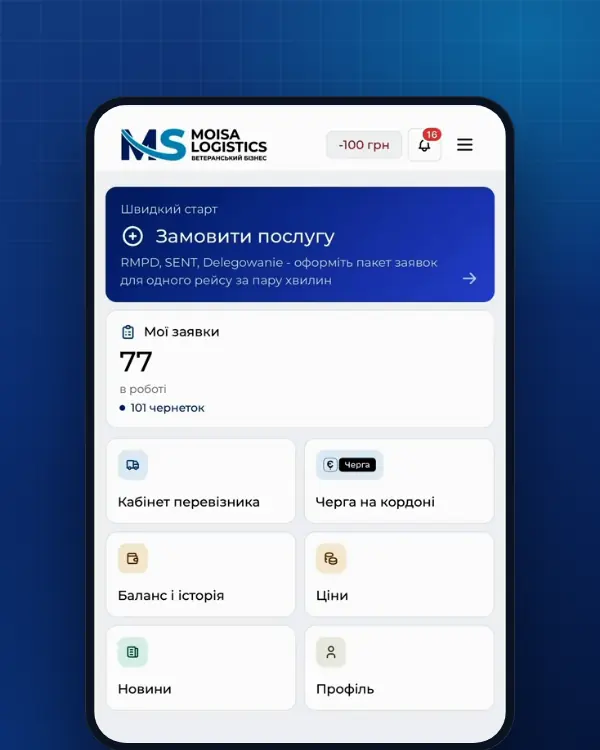
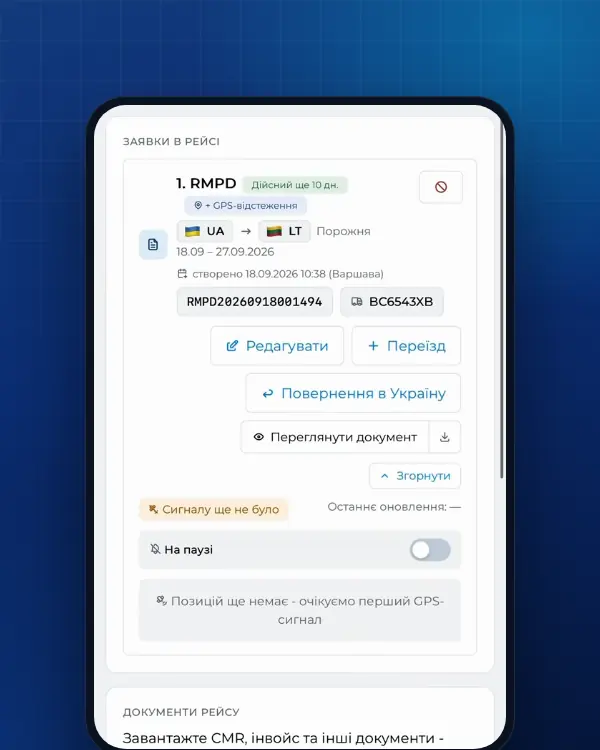
If what you need is an RMPD or SENT rather than a fight with the portal, you will not need the Help Desk. The Moisa Logistics account works in English, and your own PUESC login is not required. RMPD full service: you send the trip data, we fill in and file it - 500 UAH per document, trip tracking included. Self-service in the account - 100 UAH, the first 10 days at 0 UAH: the form checks letters, numbers and the locator before anything is sent. SENT - at the same prices. Ask your questions in English in the app chat, on Telegram or Viber - all channels are on the contact page.
Frequently asked questions
Sources
- PUESC - Pomoc: Help Desk SISC - telefony +48 22 330 03 30 (komórka, zagranica) i +48 801 055 055 (stacjonarny), całodobowo z wyjątkiem przerwy technicznej 21:00-22:00, wsparcie telefoniczne tylko w języku polskim; helpdesk-eclo@mf.gov.pl (z adresu loginu PUESC, po zalogowaniu do CSD, temat do 100 znaków bez znaków specjalnych, załączniki do 10 MB i 50 MB); zakres pomocy i czego nie obejmuje; reklamacja w 5 dni przez CSD; e-TOLL +48 22 460 59 77; KISchecked 21 November 2026
- PUESC - Help (EN): phone support only in Polish; e-mail from another address is rejected automatically; no PUESC account - use telephone supportchecked 21 November 2026
- Krajowa Informacja Skarbowa - Kontakt: Infolinia KAS (podatki i cło) 22 330 03 30 z komórek, 801 055 055 ze stacjonarnych, +48 22 330 03 30 z zagranicy, od poniedziałku do piątku 8-18checked 21 November 2026
- e-TOLL - Kontakt: infolinia +48 22 460 59 77 (dni robocze 6:00-22:00, soboty, niedziele i święta 8:00-18:00; po polsku, angielsku i rosyjsku), Internetowe Konto Klienta, formularz zgłoszeniowychecked 21 November 2026
- GITD - Kontakt: Infolinia dla Obywatela 22 22 04 000 (dni robocze 8:15-16:15), e-mail info@gitd.gov.plchecked 21 November 2026
- gov.pl/web/gitd - SENT i Rejestr RMPDchecked 21 November 2026
- PUESC - Wyślij zgłoszenie przewozu (RMPD): złożenie i aktualizacja zgłoszeniachecked 21 November 2026
- PUESC / MF - Instrukcja postępowania w przypadku niedostępności rejestru zgłoszeń SENT, wersja z 12.06.2024: komunikat o niedostępności, inne kanały dla XML, skrzynka awaria.sent@mf.gov.pl, tytuł wiadomości, potwierdzenie przyjęcia, brak numeru referencyjnego, brak uzupełniania i aktualizacji zgłoszenia złożonego w trybie awaryjnymchecked 30 October 2026
- PUESC - Aktualności, kategoria «System SENT»: komunikaty o niedostępności i procedurze awaryjnej SENT i RMPDchecked 30 October 2026
Need documents for a trip?
Create a free account and prepare the document in your account - by yourself or with our team’s hands. Or leave a request: we will call you and tell you what you need for your particular trip.
More news


We are on TikTok
How to prepare documents from your phone, what is changing for carriers and where to save - in short videos.