Wialon and RMPD: connecting a Wialon tracker to trip tracking, and the truth about the locator
Wialon and RMPD get searched together when a Wialon tracker is already in the truck and you hope the same box will cover the RMPD or SENT in Poland. Here is how to connect Wialon - directly or through a dealer’s login - to a Moisa Logistics account, what you see in trip tracking, and why a Wialon tracker on its own is not yet a locator for an RMPD.
 Moisa Logistics··8 min read
Key figures
In short
Wialon and RMPD work together like this: your Wialon GPS tracker connects to a Moisa Logistics account in a few minutes - “Profile” → “Integrations” → “GPS trackers” → your dealer’s tile → “Sign in with Wialon”. The vehicles then appear on the “Fleet map”, and in trip tracking for an RMPD your tracker’s line is drawn next to the PUESC line. But a Wialon tracker on its own is not a locator for RMPD or SENT.
- The company owner connects it. Only Wialon sees the password; we get view-only access to the trackers.
- Data refreshes every 5 minutes, and vehicles are matched to your fleet by registration plate automatically.
- A roadside check only counts the position in PUESC: it comes from the e-TOLL PL app, an OBU, or an operator’s ZSL registered in SENT.
- No position in PUESC means 10,000 zł for the carrier, even if Wialon saw every kilometre.
Wialon RMPD and Wialon SENT: a tracker is not a locator
An RMPD must contain a locator number or a device number (art. 28b(3) point 12 of the Polish Road Transport Act), and positions must reach the SENT register on PUESC under the rules of the SENT act. Three options qualify: the e-TOLL PL app on the driver’s phone, an OBU on-board unit, or a fixed tracker of an external location system - a ZSL (art. 2 point 15a of the SENT act). Only its operator can register an OBU or ZSL in PUESC, and the carrier receives a business number such as Z00-KT45HM-2 (PUESC FAQ 07.05).
Wialon is a GPS tracking platform developed by Gurtam and sold through a network of more than 2,700 partners in over 160 countries, either in the cloud (Wialon Hosting) or on a server (Wialon Local). The tracker your dealer installed and shows you in Wialon is there for the dispatcher. PUESC only sees what reaches SENT. So “Wialon RMPD” works only when the same device has also been registered by a ZSL operator in the SENT service: the RMPD then carries its business number, not the unit name from Wialon.
| Question | Tracker in Wialon | Locator for RMPD and SENT |
|---|---|---|
| Who sees the positions | The company dispatcher, in Wialon and in our account | PUESC, and through it ITD and KAS at a roadside check |
| The number | The unit name or ID in Wialon | A Z or U number (OBU, ZSL) or an M number (e-TOLL PL) |
| Who registers it | The dealer adds the device to your account | The OBU or ZSL operator registers the device in PUESC for SENT |
| Does it count at a check | No, unless the device is in SENT | Yes, this is the RMPD geolocation |
Is your dealer a ZSL operator? Ask them directly whether your device is registered in the SENT service, not only in e-TOLL, and what its business number is. You can also check yourself: the OBU and ZSL page on etoll.gov.pl links to the official list “Operatorzy OBU/ZSL dopuszczeni do systemu e-TOLL”. That list covers e-TOLL, so even a listed operator must register the device in SENT separately: a device registered for e-TOLL only pays the toll but sends no positions to the RMPD (PUESC FAQ 07.15). Until you have a business number, the locator remains e-TOLL PL on the driver’s phone. All three options with example numbers are in GPS locator for RMPD and SENT. Which other systems connect to the account and how a fleet tracker differs from a locator is covered in the overview GPS tracker for RMPD and SENT.
Wialon dealers in the account: sign-in addresses
You sign in to Wialon either at hosting.wialon.com or on your dealer’s site, if the dealer runs its own address. That is why the account has dealer tiles: pick yours and the sign-in address is already filled in. The tile only fills in the address; you sign in with your own login to your own Wialon.
| Dealer or system | Sign-in address (the “Wialon address” field) |
|---|---|
| Wialon directly | hosting.wialon.com |
| Ukr-Astra (Укр-Астра) | trek.ukrastra.com.ua |
| overseer | gps2.overseer.ua |
| KTSM | wialon.gps-garant.com.ua |
| KM Trade (KM ТРЕЙД) | hosting.km-trade.net |
| SKY-TRACK | monitoring.skytrack.com.ua |
| Antenor | gps.antenor.online |
| GG-Tech | wln.gg-tech.com.ua |
| Euromobile (ЄВРОМОБАЙЛ) | local.euromobile.com.ua |
| gpska | hosting.wialon.com |
| GPS-Group | The one you sign in at: type it in yourself |
| BITREK | The one you sign in at: type it in yourself |
Your dealer is not in the table but you do sign in to Wialon - pick the “Wialon” tile and type in your address. If your provider does not run on Wialon, the account also supports other systems: Navixy and TA GPS (TIPSTER), cloudGPS, Mapon, TrustTrack, Freetrack, Tekson, and for the rest there is an “on request” list: write to our support and we will arrange data transfer with the provider.
How to connect Wialon to the account: 4 steps
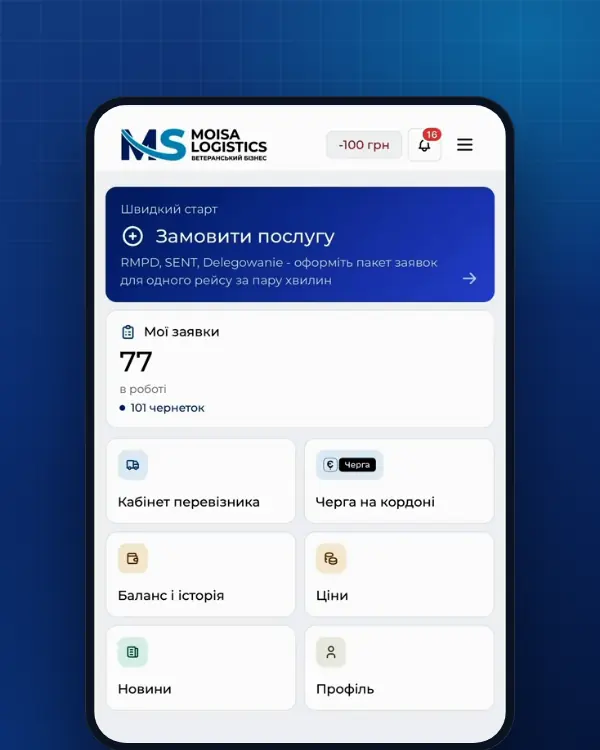
Where: “Profile” → the “Integrations” tab → the “GPS trackers” block → your dealer’s tile or “Wialon”. The company owner connects it; the block has a “Step-by-step guide” button with the same steps.
- Address. The “Wialon address” field must hold the site where you sign in: hosting.wialon.com or your dealer’s address. A dealer tile fills it in for you.
- Sign-in. “Sign in with Wialon” opens Wialon’s own sign-in page. Enter your login and password and agree to grant access.
- Check. You return to the account: compare the company name and the number of trackers and click “Connect”.
- Fallback. The sign-in page does not open or the dealer blocks it - “I already have a token”: create a token in Wialon and paste it (72 characters), or paste the whole page address with access_token=….
After that, vehicles are matched to the fleet by registration plate automatically. Anything that was not matched, you pick in the tracker list under the connection card. Some vehicles sit in another Wialon account, say with a second dealer - use “Add another Wialon account”.
What you see in the account after connecting
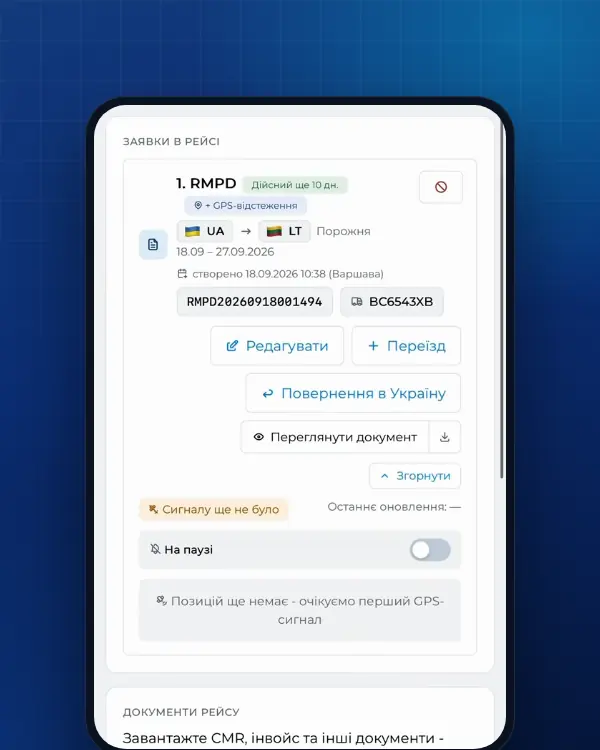
Trip tracking is built on PUESC data: the status, the last point and an alert when GPS disappears. The Wialon tracker adds a second source - whether the truck was really moving while PUESC was silent.
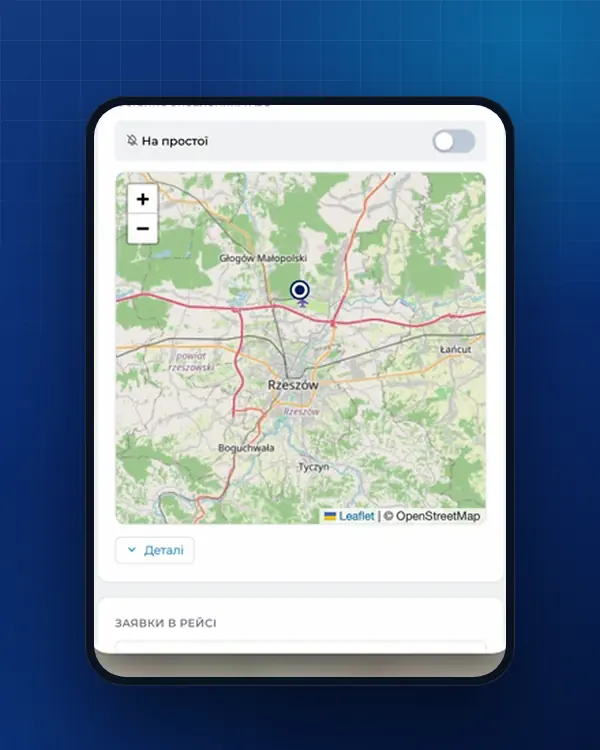
- “Fleet map”. Every vehicle with a tracker - on a trip or not, with the time of its last point. Vehicles on a trip with RMPD tracking show the order number and the route driven. PUESC sees a truck only inside Poland, while the tracker also shows it on the way to the border.
- Tracker line on the trip. In order tracking, a dashed line shows your Wialon tracker’s route during that order. Where there is a dashed line but no PUESC line, the truck was moving while the PUESC locator was silent.
- “Fine risk”. The company tracker sees movement but PUESC does not: that entry appears in the tracking log. It is your cue to call the driver now, not after a roadside check.
- Pause without an alert. PUESC is silent and the tracker shows a stop - the account sets a pause with no alert, because the truck is parked.
What tracking shows in detail and what to do when the signal is lost is covered in why RMPD 406 and trip tracking and GPS signal lost: what to do.
Security: only Wialon sees the password
- You type the password on Wialon’s page, and only Wialon sees it. The account receives a token from Wialon - an access key that Wialon itself offers as the way to authorise instead of a login and password.
- Access is view-only for trackers: the vehicles and their coordinates. We change nothing in your trackers, reports or Wialon settings.
- Disconnect any time with “Disconnect”: we delete the token on our side, and the trackers disappear from the fleet map. Delete the “Moisa Logistics” token itself in the Wialon user settings.
- If Wialon stops accepting the saved token, for example because it was deleted, the account tells you so: get a new one and paste it.
Common mistakes
| Mistake | What you see | What to do |
|---|---|---|
| The Wialon tracker entered in the RMPD instead of a locator | Wialon shows the truck, but RMPD 406 has no position | Enter e-TOLL PL or the ZSL business number with an RMPD 101 update; ask the dealer about SENT registration |
| The device is registered for e-TOLL only | Tolls are charged, but RMPD 406 has no position | Ask the operator to add the SENT service (PUESC FAQ 07.15) |
| Wrong sign-in address | The sign-in page rejects your login | Pick your dealer’s tile or type the address you use every day |
| An employee connects instead of the owner | The account says Wialon is connected by the company owner | Connect from the company owner’s account |
| A vehicle was not matched | The tracker is in the list, but the vehicle is not on the map | Pick the vehicle for that tracker in the list under the connection card |
| The token was deleted in Wialon | “Wialon no longer accepts the saved token” | Sign in with Wialon again or paste a new token |
From our experience. The most expensive mix-up is a dispatcher who sees the truck in Wialon and assumes the RMPD is fine. A roadside check looks at PUESC, so after the border check RMPD 406 itself and treat the tracker as a second opinion.
What it costs and where to order
- RMPD full service - 500 UAH per document, self-service in the account - 100 UAH (first 10 days - 0 UAH); trip tracking is included.
- Tracking for an RMPD prepared elsewhere - RMPD 406 for 50 UAH.
Order: RMPD full service, RMPD self-service, RMPD 406. The Wialon tracker is connected in the account profile; no separate order is needed.
Frequently asked questions
Sources
- Ustawa z dnia 6 września 2001 r. o transporcie drogowym, tekst jednolity Dz.U. 2025 poz. 1490 (art. 28, 28b, 28c, 89a1, załączniki nr 1 i 3)checked 18 November 2026
- Ustawa o systemie monitorowania drogowego i kolejowego przewozu towarów (SENT), tekst jednolity Dz.U. 2024 poz. 1218: art. 2, 3 ust. 6, 5-11, 13-17, 21-24, 31-32 (dla RMPD - przez art. 28b ust. 5 ustawy o transporcie drogowym)checked 18 November 2026
- PUESC - FAQ SENT, 07. Obsługa zewnętrznych systemów lokalizacji ZSL/OBU (07.05-07.20, aplikacja e-TOLL PL jako lokalizator zapasowy)checked 18 November 2026
- e-TOLL - Urządzenia pokładowe OBU i ZSLchecked 21 November 2026
- e-TOLL - Operatorzy OBU/ZSL dopuszczeni do systemu e-TOLL (lista PDF, wersja 06.11.2026)checked 21 November 2026
- Wialon - About: platforma rozwijana przez Gurtam, sieć ponad 2 700 partnerów, 160+ krajów, wersja chmurowa lub serwerowachecked 21 November 2026
- Wialon Help - Getting an access token: strona logowania Wialon, token 72 znaki zamiast loginu i hasłachecked 21 November 2026
- Wialon Hosting - strona logowaniachecked 21 November 2026
Need documents for a trip?
Create a free account and prepare the document in your account - by yourself or with our team’s hands. Or leave a request: we will call you and tell you what you need for your particular trip.
More news


We are on TikTok
How to prepare documents from your phone, what is changing for carriers and where to save - in short videos.