
Tekson Fleet and RMPD: connecting the Tekson API to trip tracking
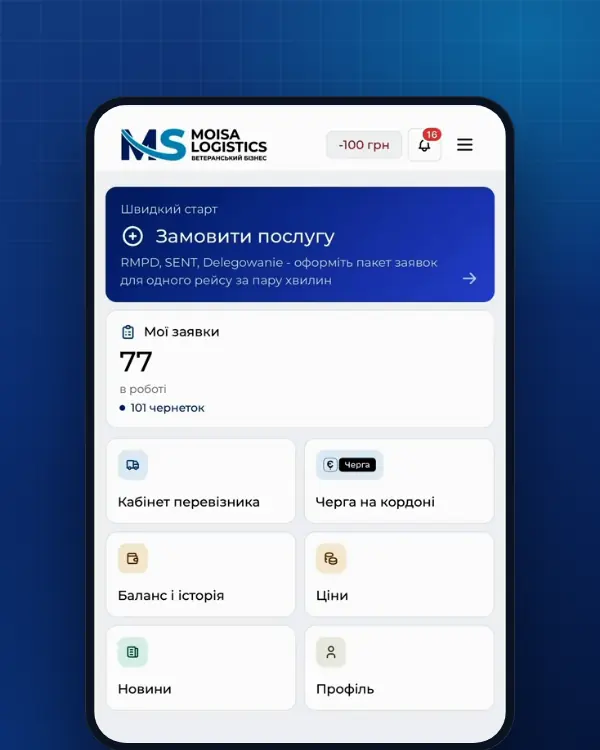
Tekson is a Polish GPS monitoring system. If your trucks are in Tekson Fleet, you can connect it to the Moisa Logistics account: the vehicles appear on the fleet map, and RMPD tracking sees where the truck really is. We walk through the Polish Tekson menus step by step, the three values to copy, and why the tracker alone does not replace the locator for RMPD.
 Moisa Logistics··6 min read
Key figures
In short
- Tekson Fleet and RMPD connect through the Moisa Logistics account: in Tekson Fleet you create permanent API access, and in the account you paste the API link, login and password from it.
- Only the new Tekson Fleet panel connects - app.teksonfleet.com. The old old.tekson.eu cannot be connected.
- You choose the vehicles to share in Tekson yourself; new vehicles go into the same share.
- We only see vehicles and their coordinates and change nothing in Tekson.
- A Tekson tracker on its own is not a locator for RMPD or SENT until an operator registers the device in PUESC for SENT.
Tekson Fleet: which panel connects
Tekson is a Polish company that sells GPS trackers and tachograph equipment and gives customers its own monitoring system. Today that system runs as Tekson Fleet at app.teksonfleet.com; at the time of writing, gps.tekson.eu - the customer login address on the Tekson website - also opens Tekson Fleet. That is the panel we connect. The old old.tekson.eu panel cannot be connected.
How to check you are in the right panel: the “Mapa” menu must have the “Udostępnij pozycję” item. If it does not, ask Tekson how to move to Tekson Fleet.
Tekson API for RMPD: 4 steps to connect
The company owner connects it. In the Moisa Logistics account open “Profile” → the “Integrations” tab → “GPS trackers”, pick Tekson Fleet and click “Step-by-step guide”. Then in Tekson Fleet:
- Sign in to Tekson Fleet (app.teksonfleet.com) on a computer.
- Mapa → “Udostępnij pozycję” → “Stały dostęp przez API”.
- Select the vehicles, enter the name Moisa and click “Wygeneruj zestaw autoryzacyjny”.
- Copy three values: “Skopiuj unikalny link API” - into the “API link” field, the login and password - into their fields in the account.
If you have the full API link that already contains the password, you can paste it whole - then the login and password are not needed separately. After connecting, vehicles are matched to your fleet by licence plate on their own; those that did not match you pick in the list of trackers under the card. Data refreshes every 5 minutes, and the vehicles are visible on the “Fleet map”.
The Polish Tekson menus in English
| In Tekson Fleet | Meaning | What you do |
|---|---|---|
| Mapa | Map | Open the section with vehicles on the map |
| Udostępnij pozycję | Share location | Go to granting access |
| Stały dostęp przez API | Permanent API access | Choose permanent access, not a one-off link |
| Wygeneruj zestaw autoryzacyjny | Generate an authorisation set | Get the API link, login and password |
| Skopiuj unikalny link API | Copy the unique API link | Paste it into the “API link” field in the account |
New vehicles. Added another truck to Tekson? Add it to the same share too, or we will not see it. Delete the share and the access for Moisa Logistics is gone.
What we see from Tekson and why it matters for RMPD
The share you create in Tekson gives us read-only access to the positions of the chosen vehicles. We change nothing in Tekson - no settings, no vehicles. Tracker data works in three places in the account:
| Where | What you see | What it gives you |
|---|---|---|
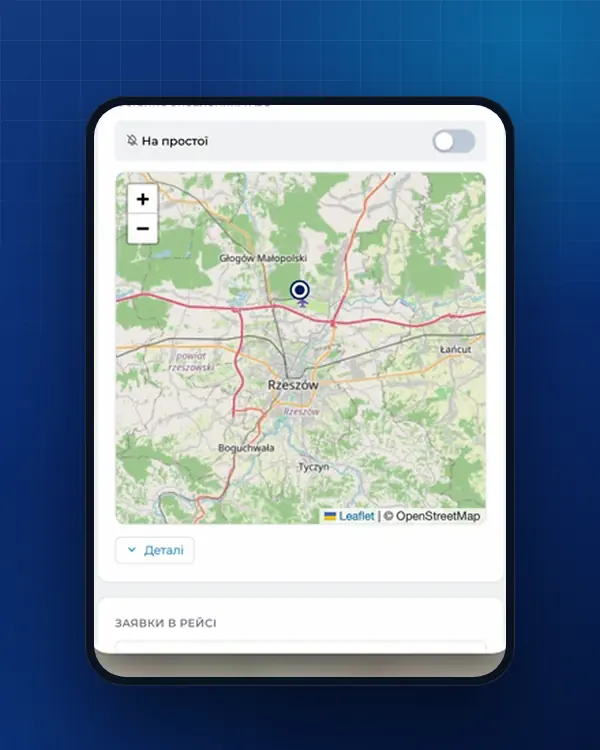
| Fleet map | Vehicles on a trip with RMPD tracking - with the order number and the route driven; other vehicles - from Tekson; next to each, the time of the last point | The whole fleet in one window with the documents |
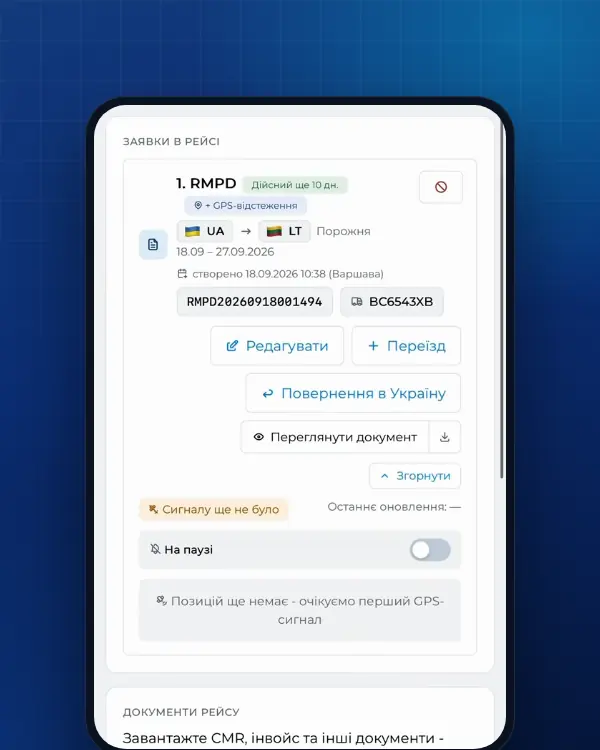
| RMPD and RMPD 406 trip tracking | Next to the PUESC line, a dashed tracker line if the system provides movement history; a “fine risk” entry when the tracker sees movement and PUESC does not | You see that the RMPD locator is silent while the truck is moving, and can call the driver at once |
| RMPD form | A yellow warning when the vehicle is now far from the start point: the distance, where it is and when it was seen | Check the start date and place before filing; the warning does not block filing |
When PUESC is silent and the tracker shows the truck standing, tracking pauses without an alert. You disconnect Tekson in the same section of the account: we delete the access on our side, and the trackers disappear from the fleet map. Delete the “Moisa” share itself in Tekson.
Tekson and RMPD: why a fleet tracker is not a locator yet
The locator or device number is a mandatory field of the RMPD notification (art. 28b(3)(12) of the Polish Road Transport Act). But not every GPS sends positions to the register - only:
- the e-TOLL PL app on the driver’s phone;
- an OBU or a fixed ZSL tracker that the operator registered in PUESC for the SENT service and gave a business number like Z00-KT45HM-2.
OBU/ZSL devices for SENT and e-TOLL are registered only by the OBU/ZSL operator (PUESC FAQ 07.05), and the carrier should check that the device is registered for SENT, not just for e-TOLL (07.15). So whether your Tekson tracker can go into the RMPD is something only your provider can tell you: are they a ZSL operator, and is your device registered for SENT? You can also look up the operator in the official list of OBU/ZSL operators on the e-TOLL website (etoll.gov.pl). API access for Moisa Logistics changes nothing here: it gives us read access and does not register the tracker in PUESC.
Without positions from the locator entered in the RMPD, the carrier faces a 10,000 zł fine. What counts as a locator and how to set up a main and backup pair is explained in the GPS locator for RMPD and SENT; how to check that PUESC sees the truck - in RMPD 406: what it is. Which other systems connect to the account and how a fleet tracker differs from a locator is covered in the overview GPS tracker for RMPD and SENT.
Common mistakes with Tekson
| What happened | How it shows | What to do |
|---|---|---|
| Working in the old old.tekson.eu panel | The items from the guide are not in the menu | Sign in to Tekson Fleet (app.teksonfleet.com) and create the access there |
| A vehicle was not selected in the share | It is missing from the fleet map | Add the vehicle to the same share in Tekson |
| The share was deleted in Tekson | The account says Tekson Fleet no longer accepts the saved access | Create a new access and connect the system again |
| The Tekson tracker number was entered in the RMPD as the locator | RMPD 406 shows no position | Enter the number of e-TOLL PL, an OBU or a ZSL registered in SENT - with an RMPD 101 update |
One more thing: the company owner connects the system. If a dispatcher opens the section and sees that the GPS system is connected by the company owner, ask the owner to paste the data in their profile.
What trip tracking costs
Trip tracking is part of an RMPD prepared with us, or the separate RMPD 406 service:
- RMPD, full service - 500 UAH per document; self-service in the account - 100 UAH (first 10 days - 0 UAH). Tracking is already included in the RMPD price.
- An RMPD prepared elsewhere - RMPD 406 for 50 UAH: a map from PUESC data and an alert when the GPS signal drops.
Order: RMPD full service, RMPD self-service, RMPD 406. How tracking works is shown in why RMPD 406 and trip tracking.
Frequently asked questions
Sources
- TEKSON - TEKSON GPS System (lokalizatory GPS, OBU i ZSL, logowanie gps.tekson.eu)checked 21 November 2026
- PUESC - FAQ SENT, 07. Obsługa zewnętrznych systemów lokalizacji ZSL/OBU (07.05-07.20, aplikacja e-TOLL PL jako lokalizator zapasowy)checked 21 November 2026
- e-TOLL - Urządzenia pokładowe OBU i ZSLchecked 21 November 2026
- e-TOLL - Operatorzy OBU/ZSL dopuszczeni do systemu e-TOLL (lista operatorów i urządzeń, PDF)checked 21 November 2026
- Ustawa z dnia 6 września 2001 r. o transporcie drogowym, tekst jednolity Dz.U. 2025 poz. 1490 (art. 28, 28b, 28c, 89a1, załączniki nr 1 i 3)checked 18 November 2026
Need documents for a trip?
Create a free account and prepare the document in your account - by yourself or with our team’s hands. Or leave a request: we will call you and tell you what you need for your particular trip.
More news

We are on TikTok
How to prepare documents from your phone, what is changing for carriers and where to save - in short videos.