
RMPD number: where to find it after filing, how to recover it and what the driver shows at a check
PUESC issues the RMPD number right after filing, and it is the number, not a form, that the driver shows at a roadside check. We explain what the number looks like, where to find the RMPD number if the e-mail is gone, what the driver shows an ITD inspector, what happens to the number after an update or a new notification, and when the “Poprzedni RmpdNumber” field is needed.
 Moisa Logistics··8 min read
Key figures
RMPD number - where to find it: short answer
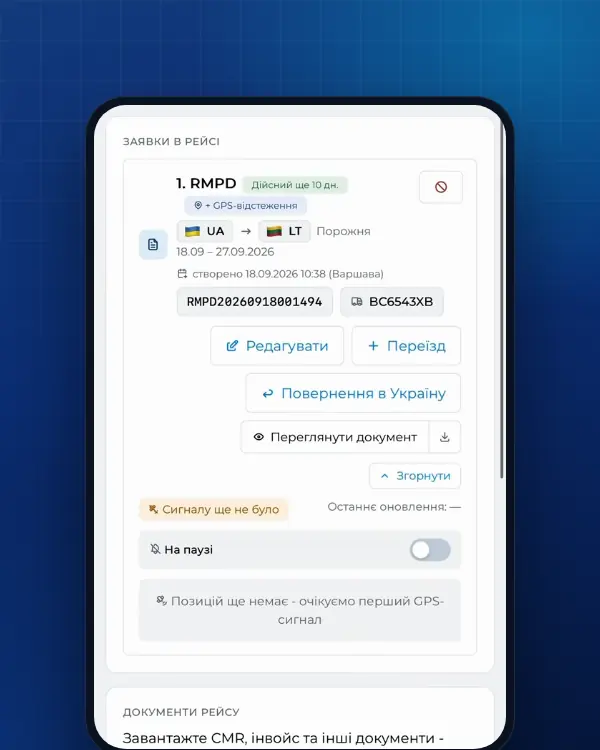
The RMPD number is the reference number (numer referencyjny) PUESC gives a notification right after registration. PUESC hands it over in three places: on screen after “Zatwierdź”, in “Mój pulpit | Dokumenty” and by e-mail to the address entered in the form. If the e-mail is gone, the number is not: it sits in the PUESC account the notification was filed from, and if it was filed through Moisa Logistics, also in the order card and in the driver’s app.
- Format: RMPD and 14 digits, no spaces.
- The driver needs the number, not a printout; no number at a check costs 1,500 zł.
- “RMPD - Aktualizacja” does not change the number; a new RMPD100 gives a new one.
- How long the number is valid and when you need a new one is a separate topic: RMPD validity: how long the number lasts.
What the reference number looks like
The Polish SENT Act defines the reference number as a unique identifier given to a notification (art. 2(4)), and the Road Transport Act requires carriers to obtain it before the carriage in Poland starts (art. 28b(1)). The format is set by the RMPD message schema on PUESC: the letters RMPD and 14 digits with no spaces, 18 characters in total. The first eight digits are the registration date (year, month, day), the last six a sequence number. Example (made up): RMPD20261121001234.
The PUESC confirmation - in the schema it is called “Potwierdzenie rejestracji zgłoszenia przewozu i nadanie numeru” - contains several numbers, and mixing them up is costly:
| Number | What it looks like | What it is for |
|---|---|---|
| RMPD number (“Numer zgłoszenia”) | RMPD and 14 digits | For the driver, the roadside check, RMPD 406 and “RMPD - Aktualizacja” |
| Carrier key (“Klucz przewoźnika”) | KD-, two digits and two letters | For the carrier when working with the notification; the driver does not need it at a check |
| SENT number | SENT and 14 digits | A different notification - for goods on the SENT list |
| Locator number | Z00-… or M…, the last digit is a check digit | The number of the device or the e-TOLL PL app in the notification |
| Own number (“Numer własny zgłoszenia”) | Any number of yours | Your order or trip number: helps you spot the right RMPD among similar ones |
Where to find the RMPD number after filing
- The screen after “Zatwierdź”. PUESC shows the confirmation with the number straight away. Copy the number or take a screenshot - the simplest insurance there is.
- E-mail. The message arrives if an address is entered in the form: PUESC asks directly for the address that will receive the confirmation with the number. In the confirmation the number is in the “Numer zgłoszenia” line. Search your mail for RMPD and the filing date, and check spam.
- PUESC → “Mój pulpit | Dokumenty”. Log in with the same account the notification was filed from: the confirmation is among the documents.
- The e-TOLL PL app. If the RMPD names the e-TOLL PL identifier as its locator, the notification shows up under “Zgłoszenia SENT/RMPD” (the “Wyświetl” button), and the number also appears in “Moje przejazdy” next to each journey.
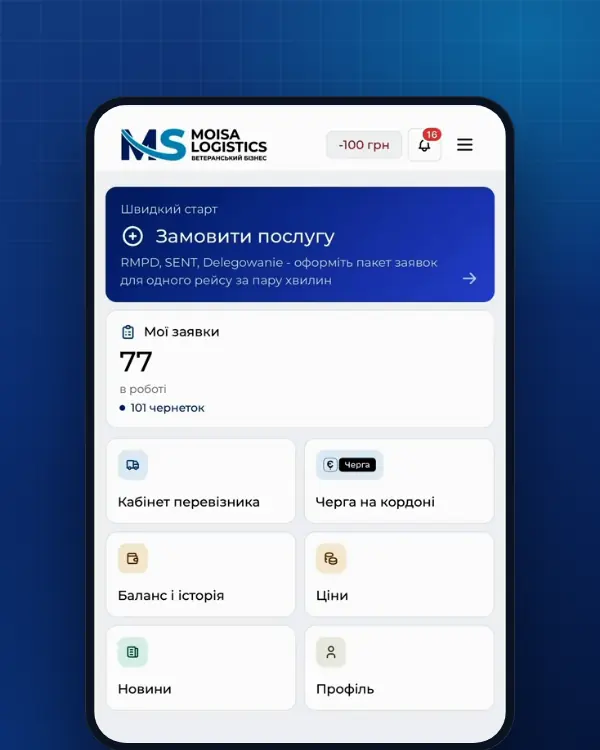
- The Moisa Logistics account. If we filed the RMPD, the number is in the order card next to its remaining validity, the PDF opens with one button, and the driver sees the number in the app among the trip documents.
Lost the RMPD number: what to do
You do not restore the number - you find it: the notification stays in the register, and the confirmation stays in the account it was filed from. In this order:
- The dispatcher’s mailbox and the company’s general mailbox, spam included, searched for RMPD and the filing date.
- Log in to PUESC and open “Mój pulpit | Dokumenty”. Forgot the password - “Nie pamiętasz hasła?” in the login window, and a reset link arrives by e-mail. Three wrong passwords lock the account for 30 minutes.
- If an agent filed it from their own access, the confirmation is in their “Mój pulpit”, not yours: ask them for the number. If it was filed from your company’s account, you have it too.
- A driver using e-TOLL PL as the locator opens “Zgłoszenia SENT/RMPD” - the number is there.
- No access to the e-mail that serves as the login, or the account is locked - Help Desk SISC: +48 22 330 03 30 from mobiles and from abroad, around the clock except for a 21:00-22:00 break, Polish only.
What not to do:
- Do not look for the number through RMPD 406: the number is one of the three required fields of that check, so it will not tell you. How the check itself works is explained in RMPD 406 in simple words.
- Do not file the “same” RMPD again just in case: the register will hold a second notification for the same vehicle and dates, and you still need the first one’s number to change or cancel it.
- Do not set off without a number: the carrier gives the driver the number before the carriage starts, and without it the driver must refuse to start (art. 28c).
What the driver shows at an ITD check: the number or a copy
The Polish Road Transport Act requires the driver to carry and show, on request of a control body, the reference number (art. 87(1)(8)). It says nothing about a printout or a PDF: the number on a phone screen, in a PDF or written on paper is the same number. ITD, KAS, the Police and the Border Guard use the register data (art. 12 of the SENT Act), but that does not release the driver from showing the number.
- Number shown - the inspector checks the notification against the vehicle: tractor, trailer, CMR, GPS position.
- RMPD filed, but the driver has no number - 1,500 zł for the driver (Annex 1, item 2a). During the check the driver may contact the company so it can send evidence (art. 87(6)), so the dispatcher must know where the number is.
- No RMPD filed - 12,000 zł for the carrier (Annex 3, item 3.2a), and the vehicle goes to a guarded car park at the carrier’s expense until a notification is filed and a number obtained (art. 89a1(1a)).
The safest option is the number in two places: on the phone (app or PDF) and on paper. What else inspectors ask for is in ITD roadside check: what the driver shows, and how the number and geolocation work on a phone is in RMPD on the driver’s phone.
The number after an update, cancellation and a new RMPD
| What was done | What happens to the number | Validity |
|---|---|---|
| “RMPD - Aktualizacja”: trailer, tractor, crossing, address, locator, a date within 9 days of registration | Stays the same: the update form works by the number | 10 days from the original issue, not extended |
| Cancellation (before the start date) | The number stays with a notification in the “Anulowane” status; you cannot drive on it | - |
| A new RMPD100: return trip, empty run, next trip | A new number | A new 10 days |
| Continuation after 10 days | A new number, with the old one in the “Poprzedni RmpdNumber” field | A new 10 days |
| Status “Zamknięte automatycznie” or “Zamknięte” | The number is no longer processed | Only a new RMPD |
What exactly can be changed and until when is covered in RMPD 101 and 104: how to change, cancel or extend an RMPD.
“Poprzedni RmpdNumber”: when to enter the previous number
The RMPD100 form has a “Poprzedni RmpdNumber” field for the number of the previous notification. It is filled in two cases:
- Continuation after 10 days. The number has expired while the carriage is still under way: a new continuation notification with the previous reference number and the place where the carriage continues with the new number (art. 28b(4)). The start place is then wherever the vehicle is, not the border crossing.
- Return journey on the same permit. According to the field description in the PUESC schema, it is mandatory when the RMPD declares a permit already used in another RMPD, with the direction “Przejazd powrotny zgodnie ze wzorem zezwolenia (Wyjazd)”. You then enter the number of the notification for the first journey on that permit. Carriages without a permit, under an exemption (for example the EU - Ukraine agreement), are not affected.
In every other case the field stays empty: a separate return trip or an empty run in Poland is a new notification with a new number and no reference to the old one.
How not to lose the number next time
- Enter several confirmation addresses in the form - the dispatcher’s and the company’s general mailbox: the PUESC schema accepts up to three.
- Put your trip or order number into “Numer własny zgłoszenia” - then you spot the right one at once among several RMPDs for the same vehicle.
- Give the driver the number right away, not just before the border, and ask them to write it down on paper too.
The number at Moisa Logistics: in the order card and the driver’s app
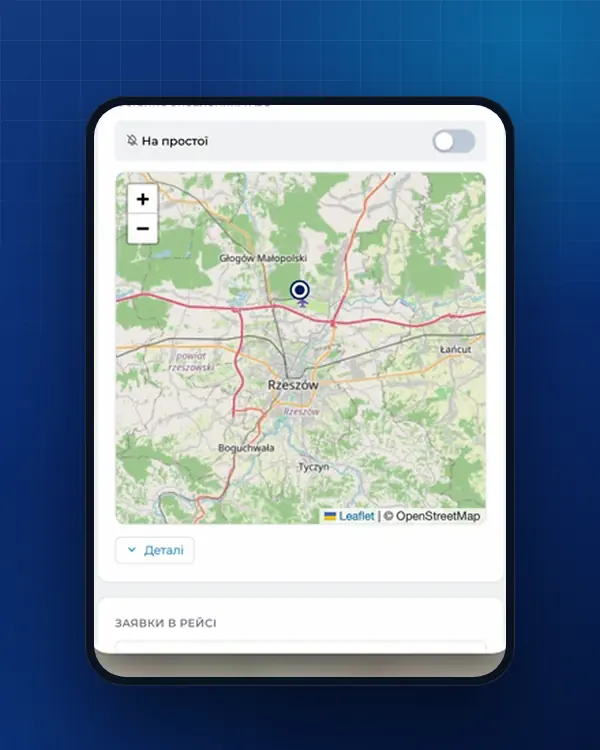
When we or your dispatcher file the RMPD in the account, the number does not get lost in the mail: it is in the order card with its validity and the PDF, it arrives by e-mail and as a push notification, and the driver sees it in the app among the trip documents, with the “valid until” date. Editing the order does not change the number, and for the return trip you can create a similar order straight away. Prices: RMPD full service - 500 UAH, RMPD self-service - 100 UAH, the first 10 days - 0 UAH; RMPD 406 tracking is included in both.
Frequently asked questions
Sources
- PUESC - Wyślij zgłoszenie przewozu (RMPD): złożenie i aktualizacja zgłoszeniachecked 21 November 2026
- PUESC - Specyfikacja Techniczna Komunikatów Systemu RMPD, wersja 1.0 z 20.11.2024, i schematy XSD (archiwum RMPD_v20.11.2024): RMPD_101 edycja, RMPD_104 anulowanie, reguły R05, R06, R15, R26, statusy zgłoszeniachecked 21 November 2026
- GITD - Zgłoszenie międzynarodowych przewozów drogowych w rejestrze zgłoszeń SENT - Rejestr RMPD (instrukcja)checked 21 November 2026
- Ustawa z dnia 6 września 2001 r. o transporcie drogowym, tekst jednolity Dz.U. 2025 poz. 1490 (art. 28, 28b, 28c, 89a1, załączniki nr 1 i 3)checked 21 November 2026
- Ustawa o systemie monitorowania drogowego i kolejowego przewozu towarów (SENT), tekst jednolity Dz.U. 2024 poz. 1218: art. 2, 3 ust. 6, 5-11, 13-17, 21-24, 31-32 (dla RMPD - przez art. 28b ust. 5 ustawy o transporcie drogowym)checked 21 November 2026
- e-TOLL - Aplikacja mobilna e-TOLL PL: instrukcja korzystania dla przejazdów SENT/RMPD (identyfikator biznesowy, Przejazd SENT/RMPD, Lokalizacja GPS SENT/RMPD 406, status baterii i GPS)checked 21 November 2026
- PUESC - Logowanie do konta PUESC: „Nie pamiętasz hasła?”, blokada na 30 minut po trzech błędnych hasłachchecked 21 November 2026
- PUESC - Pomoc: Help Desk SISC (+48 22 330 03 30, 801 055 055, całodobowo poza przerwą 21:00-22:00, tylko po polsku; przywrócenie logowania, zmiana adresu e-mail)checked 21 November 2026
Need documents for a trip?
Create a free account and prepare the document in your account - by yourself or with our team’s hands. Or leave a request: we will call you and tell you what you need for your particular trip.
More news


We are on TikTok
How to prepare documents from your phone, what is changing for carriers and where to save - in short videos.