RMPD 406: how to check an RMPD notification step by step
The truck is already at the border and the dispatcher asks: “Does PUESC see it?” The RMPD 406 check gives the answer. Here it is step by step: where the RMPD406 form is and whether you need to log in, what goes into its three fields, when PUESC shows any data at all, how the driver checks the notification on a phone in e-TOLL PL, and what to do with each result.
 Moisa Logistics··8 min read
Key figures
Short answer: how to check RMPD 406
You check RMPD 406 on puesc.gov.pl in the form “RMPD406 Sprawdzenie ważności zgłoszenia przewozu z ostatnią pozycją GPS” (in the English version, “Verifying the validity of the RMPD notification”) or in the e-TOLL PL app with the “Lokalizacja GPS (SENT/RMPD 406)” button. You enter three numbers from the notification - the RMPD number, the vehicle registration and the locator number - and see whether the notification is valid and where the register last saw the truck. No PUESC login is needed and the check is free.
An empty result before the border is not yet an alarm; an empty result while the truck is already driving through Poland calls for action right away.
Where the RMPD406 form is and whether you need to log in
The form sits in the PUESC services: Usługi - Akcyza, gry hazardowe, przemieszczenia i przewozy - Przewóz towarów objęty monitorowaniem (SENT) - RMPD - 406. You will also find it under the “Formularze” tab as RMPD406. The page is in Polish and English; below we use the Polish field names.
You do not need to log in. We checked on 21 November 2026: the form opens and can be filled in without an account, and the header still shows the “Załóż konto” and “Zaloguj się” buttons. That is by design: the GITD guide calls the form “Weryfikacja przez kierującego statusu zgłoszenia”, a status check made by the driver, not by a company with an account. PUESC describes the twin form for SENT, SENT406, as available without logging in.
How RMPD 406 differs from RMPD 100 and 101 is in RMPD 406: what this PUESC form is; a short explainer is in the guide RMPD 406 in plain words.
How to check RMPD 406 step by step on PUESC
- Have the three numbers from the notification ready - the RMPD number, the tractor number and the locator number exactly as filed. If the RMPD was amended, use the latest version.
- Open the RMPD - 406 form on puesc.gov.pl - on a computer or simply on a phone.
- “Numer referencyjny zgłoszenia” - the full RMPD number, including the letters RMPD at the start, as the form’s hint says.
- “Numer rejestracyjny pojazdu” - the tractor’s registration in Latin letters, without spaces or hyphens, as in the notification.
- “Numer urządzenia/lokalizatora GPS” - the number of a device registered in the ZSL service or the number of the e-TOLL PL app entered in the notification. It looks like Z00-KT45HM-2: there is no letter O in it, only zero.
- Click “Zatwierdź”. All three fields are required.
- Read the result: whether the notification is valid, the last GPS position and the time it was recorded. Compare that time with the current time - it is the most important part of the check.
The example number is made up. Data on the form may lag slightly behind real time (the PUESC FAQ says so about SENT406), so a position a few minutes old does not yet mean the signal is lost.
Three conditions without which PUESC shows nothing
Below the fields PUESC warns that data will be displayed only if three conditions are met. In our words:
- The notification is still valid. You use the form within its validity period, before it is closed or expires. An RMPD number is valid for 10 days from the day it is issued.
- The notification is complete. It contains everything required, including the carrier’s details.
- Positions have arrived. The locator has correctly sent geolocation to the module the form calls RMPD-GEO; in its outage notices PUESC writes SENT-GEO, and such outages affect both forms, SENT406 and RMPD406.
So an empty result does not always mean “there is no RMPD”: often the truck simply has not started sending positions yet.
How the driver checks the RMPD on a phone before the border
For the driver it is easier to check in the app that already works as the locator, e-TOLL PL. The home screen has a “Lokalizacja GPS (SENT/RMPD 406)” button. Then come three fields: “Id lokalizatora” (the identifier of the locator linked to the notification), “Numer zgłoszenia SENT/RMPD” and “Numer rejestracyjny”. Once all are filled in, the search button (“Pokaż na mapie” or, in another guide version, “Wyszukaj”) shows the last position of the active notification on a map; without internet or with wrong data you get an error message.
The order before the Polish leg, for example at Dorohusk:
- While still in the queue. In e-TOLL PL open the “Zgłoszenia SENT/RMPD” list: your notification must be there. If it is missing, the phone’s identifier is not in the RMPD or has not been linked to the notification in PUESC (the “Powiąż ze zgłoszeniem SENT/RMPD” button), and the SENT/RMPD trip will not start.
- Compare the locator number. “Twój identyfikator urządzenia” in the app must match the number in the RMPD character by character. A new phone means a new number.
- When the carriage in Poland begins - “Konfiguruj przejazd”, the “Przejazd SENT/RMPD” slider, “Wybierz zgłoszenie”, “Potwierdź”, “Rozpocznij przejazd”. From that moment the law requires the locator to be on (art. 10b of the SENT Act).
- After the border, a few minutes into the drive - “Lokalizacja GPS (SENT/RMPD 406)”. A fresh point on the map means the “phone - PUESC” chain works.
An empty check before the border is normal: the third PUESC condition is not met yet. But if the truck is already in Poland, the GPS or data icon is orange (over 10 minutes without an update for SENT/RMPD) and the check is empty, look for the cause now.
What the RMPD 406 result means and what to do
| What you see | What it means | What to do |
|---|---|---|
| A position with a recent time | The notification is valid, the locator transmits, the register sees the truck | Nothing; repeat after a stop or an RMPD amendment |
| Notification not found or a data error | At least one of the three numbers does not match: a typo, a Cyrillic letter, an old number after an amendment, a different locator | Compare character by character with the latest version of the notification; if there really is no RMPD, do not enter - file RMPD 100 first |
| No GPS position | Positions have not arrived: the e-TOLL PL trip is not started, the truck is not in Poland yet, the OBU or ZSL is not registered in the SENT service, or a SENT-GEO outage | Start “Przejazd SENT/RMPD”, check internet and location; for OBU or ZSL ask the operator; read the PUESC notices |
| An old position | Transmission broke off: phone, internet, device power | Restore transmission; after an hour without a signal stop at the nearest parking area at once (art. 10c) |
| Expired, no data | 10 days have passed since the number was issued or the notification is closed | A new RMPD 100; a trip still under way continues with a new notification that cites the previous number |
What to do minute by minute when the signal is really gone is in RMPD 406: GPS signal lost, and which locator numbers are valid in the first place is in GPS locator for RMPD and SENT.
How often to check RMPD 406
The law does not require RMPD 406 checks: what is mandatory is the notification and continuous geolocation on the Polish leg. But the check shows what an ITD or KAS inspector will see. Our minimum per trip:
- one check after entering Poland;
- after every RMPD amendment (RMPD 101) - using the new data;
- after a phone change or a reinstall of e-TOLL PL;
- after the night rest or a long stop, before setting off;
- when the GPS or data icon in e-TOLL PL turns orange (over 10 minutes without an update) or red (over 60 minutes);
- when the dispatcher cannot reach the driver;
- after a PUESC notice about a SENT-GEO outage - once the work is over.
The point after which you must not wait is one hour. If the locator stays down longer, the driver must stop without delay at the nearest parking area (art. 10c of the SENT Act, applied to RMPD through art. 28b(5) of the Polish Road Transport Act). For missing geolocation on the route the carrier risks a PLN 10,000 penalty.
Common mistakes when checking
- Cyrillic letters in the vehicle number. Cyrillic letters that look like A, B, C, E, K, M, H, O, P, T, X seem Latin, but PUESC compares characters, not looks, and finds nothing.
- A number from the vehicle file, not from the notification. If the RMPD lists the driver’s phone and you search by the OBU (or the other way round), the result will be empty.
- Only the toll trip. e-TOLL charges the road, but no positions go to the RMPD: it has to be “Przejazd SENT/RMPD”.
RMPD 406 with Moisa Logistics: checks without manual queries
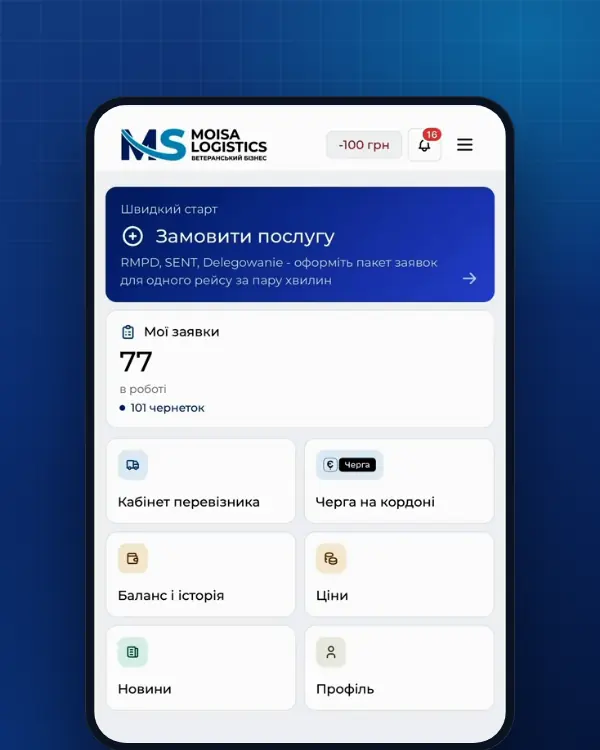
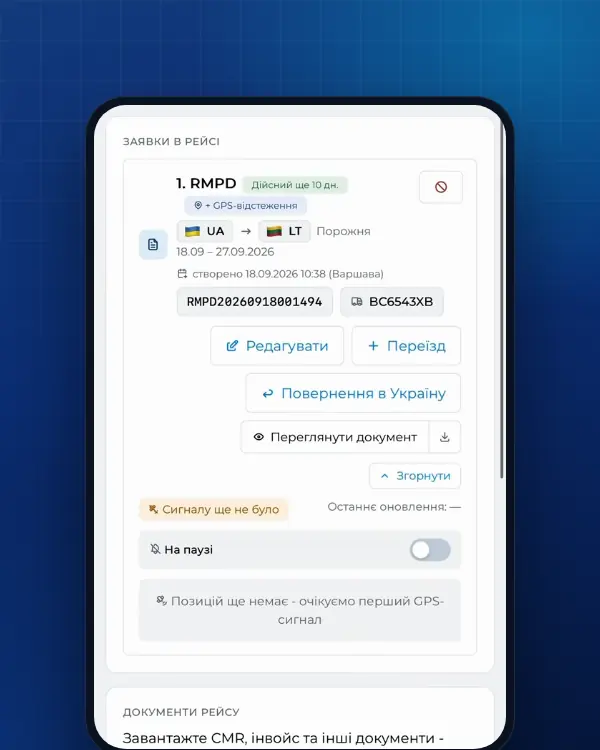
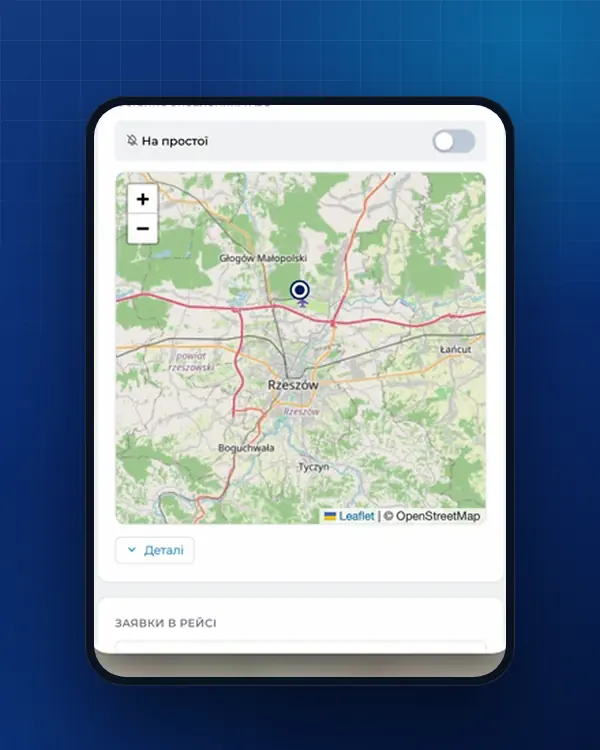
A manual check answers for “right now”. In the Moisa Logistics account the same question goes to PUESC the whole time the number is valid: a route map from PUESC data, a status (“Online”, “Data not updating”, “Signal lost”) and an alert with the last known point when the signal disappears.
- An RMPD prepared with us - full service (500 UAH) or self-service in the account (100 UAH, first 10 days - 0 UAH): RMPD 406 tracking is already included.
- An RMPD prepared elsewhere - the separate RMPD 406 service for 50 UAH: you enter the RMPD number and the tractor and trailer numbers, and the map appears at once.
Why a carrier needs this and how it looks in the account is in why RMPD 406 and trip tracking. Switch on tracking - RMPD 406 in the account; file the RMPD itself - full service or self-service.
Frequently asked questions
Sources
- PUESC - RMPD406 Sprawdzenie ważności zgłoszenia przewozu z ostatnią pozycją GPS [RMPD]: pola «Numer referencyjny zgłoszenia», «Numer rejestracyjny pojazdu», «Numer urządzenia/lokalizatora GPS», przycisk «Zatwierdź», warunki wyświetlenia danych (okres ważności zgłoszenia, zgłoszenie kompletne, dane przesłane do RMPD-GEO); formularz dostępny bez logowania (sprawdzono 21.11.2026)checked 21 November 2026
- GITD - Zgłoszenie międzynarodowych przewozów drogowych w rejestrze zgłoszeń SENT - Rejestr RMPD (instrukcja)checked 21 November 2026
- PUESC - Sprawdź dane geolokalizacyjne środka transportu (formularz SENT406, bez logowania)checked 21 November 2026
- PUESC - FAQ SENT, 07. Obsługa zewnętrznych systemów lokalizacji ZSL/OBU (07.05-07.20, aplikacja e-TOLL PL jako lokalizator zapasowy)checked 21 November 2026
- PUESC - FAQ RMPDchecked 21 November 2026
- e-TOLL - Aplikacja mobilna e-TOLL PL: instrukcja korzystania dla przejazdów SENT/RMPD (identyfikator biznesowy, Przejazd SENT/RMPD, Lokalizacja GPS SENT/RMPD 406, status baterii i GPS)checked 21 November 2026
- e-TOLL - Podręcznik użytkownika aplikacji mobilnej e-TOLL PL v. 3.13: języki, identyfikator biznesowy, przejazd SENT/RMPD i łączony, komunikaty w trakcie przejazdu, Lokalizacja GPS (SENT/RMPD 406)checked 21 November 2026
- Ustawa o systemie monitorowania drogowego i kolejowego przewozu towarów (SENT), tekst jednolity Dz.U. 2024 poz. 1218: art. 2, 3 ust. 6, 5-11, 13-17, 21-24, 31-32 (dla RMPD - przez art. 28b ust. 5 ustawy o transporcie drogowym)checked 21 November 2026
- Ustawa z dnia 6 września 2001 r. o transporcie drogowym, tekst jednolity Dz.U. 2025 poz. 1490 (art. 28, 28b, 28c, 89a1, załączniki nr 1 i 3)checked 21 November 2026
- PUESC - Utrudnienia w funkcjonowaniu SENT-GEO 12.10.2026 r.: SENT406 i RMPD406 bez ostatniej pozycji; rejestr zgłoszeń SENT i RMPD działa, przewozy można rozpocząć i kontynuowaćchecked 21 November 2026
- PUESC - Awaria SENT-GEO 15.10.2026 r. (10:00-12:39): rejestr zgłoszeń SENT i RMPD działa poprawnie, zgłoszenia rejestrować, lokalizatory uruchomićchecked 21 November 2026
Need documents for a trip?
Create a free account and prepare the document in your account - by yourself or with our team’s hands. Or leave a request: we will call you and tell you what you need for your particular trip.
More news


We are on TikTok
How to prepare documents from your phone, what is changing for carriers and where to save - in short videos.