e-TOLL PL app for RMPD: how to switch on GPS tracking and where to find the locator number
The e-TOLL PL app for RMPD turns the driver’s phone into the GPS locator Poland requires: the app is free, it gives you an ID to enter in the notification, and the driver starts a trip before the Polish leg. Step by step from the official e-TOLL manual: installing, where the app shows the locator ID, what goes into the RMPD, when you need an e-TOLL account, how not to lose positions with no data or a flat battery, and when an OBU or ZSL is the safer choice.
 Moisa Logistics··9 min read
Key figures
In short: the e-TOLL PL app and RMPD
The e-TOLL PL app for RMPD works like this: once installed it gets an ID, the dispatcher enters it in the RMPD locator field, and the driver starts a “Przejazd SENT/RMPD” trip before the Polish leg. No e-TOLL account is needed for this - that is only for paying tolls.
- The app is free, runs on Android 8.0+ and iOS 14+, and is available in Polish, English, German, Ukrainian and Russian.
- The locator ID is shown after registration, on the home screen and in settings.
- New phone or reinstalled app means a new ID and an updated RMPD.
This guide covers the app itself, screen by screen. How e-TOLL PL compares with an OBU or ZSL under Polish law and which numbers SENT accepts is explained in GPS locator for RMPD and SENT.
Before you install: phone and settings
The e-TOLL PL user manual (version 3.13.0, September 2026) needs mobile data, location and, on Android, battery optimisation switched off.
| What | Setting | Otherwise |
|---|---|---|
| System | Android 8.0 or later, iOS 14 or later | the app will not install |
| Location | GPS on, permission “Always”, precise location | the trip will not start, and switching location off mid-trip ends it |
| Battery (Android) | “Unrestricted” (“Nieograniczone”) for e-TOLL PL | the system puts the app to sleep and positions drop out |
One installation per phone - the app blocks a detected copy. The language follows the phone and can be changed in “Ustawienia”; button names below are from the Polish version, as in the official instructions.
Registering the e-TOLL PL app in 7 steps
- Install“e-TOLL PL” from Google Play or the App Store; you only pay for data
- Notificationsallow them - not required for a trip, but without them you miss battery and GPS warnings
- Language and tutorialthe phone language is picked up automatically; page through with “Dalej” or skip with “Pomiń”
- Termstick “Akceptuję regulamin korzystania z aplikacji mobilnej e-TOLL” - the app will not work without it
- Securitya 4-digit PIN or biometrics plus a password of 8+ characters with a digit; can be skipped
- Your IDthe screen “Otrzymałeś identyfikator urządzenia…” with “Twój identyfikator urządzenia” to copy or share
- Linking“Powiąż ze zgłoszeniem SENT/RMPD” opens PUESC, “Powiąż identyfikator z pojazdem” the e-TOLL customer account, “Kontynuuj bez powiązania” the home screen
The e-TOLL locator ID: where to find it and what it looks like
The locator number is the app’s identyfikator biznesowy (business ID). It is generated at installation and belongs to that installation on that phone. You will find it:
- right after registration - “Twój identyfikator urządzenia”;
- on the home screen - “Identyfikator biznesowy”, with copy and share buttons;
- in “Ustawienia” and under “O aplikacji” → “O programie” next to the app version.
The format is that of any PUESC locator: a letter, two digits, a hyphen, six characters, a hyphen and a check digit, e.g. M26-KT45HM-2 (made up). An app ID usually starts with M; OBU and ZSL numbers start with Z or U. The PUESC schema allows no letters O or I, so those are always the digits 0 and 1. Do not retype the ID - copy it with the button and send it to the dispatcher.
An app update keeps the ID. After a reinstall or on a new phone the ID is new: update the RMPD before departure and, if you pay e-TOLL, the customer account too.
What to enter in the RMPD so the notification shows up in the app
The locator number is a mandatory RMPD field (art. 28b(3) point 12 of the Polish Road Transport Act). In the RMPD100 form the e-TOLL PL ID goes into:
- “Numer urządzenia/lokalizatora GPS” - when the phone is the main locator;
- “Numer zapasowego lokalizatora GPS” - when an OBU or ZSL is the main one. PUESC rejects the same number in both fields.
“Powiąż ze zgłoszeniem SENT/RMPD” only opens puesc.gov.pl - the link is made by the number in the notification. Once an RMPD with that number is registered, it appears under “Zgłoszenia SENT/RMPD” (“Wyświetl listę”) and “Przejazd SENT/RMPD” unlocks in “Konfiguruj przejazd”. Until then the app shows “Brak zgłoszeń SENT/RMPD”.
Example: a truck from Ukraine enters Poland at Dorohusk after Yahodyn and unloads near Warsaw; the locator is the driver’s phone.
| RMPD field | What to enter | Source |
|---|---|---|
| Numer urządzenia/lokalizatora GPS | M26-KT45HM-2 | “Identyfikator biznesowy” on the driver’s phone |
| Numer zapasowego lokalizatora GPS | empty or a second device | an OBU, ZSL or the co-driver’s phone |
If the RMPD was filed with another number, update the notification rather than filing a new one - see how to change, cancel or extend an RMPD.
Linking a vehicle: when you need the e-TOLL account
| Job | Where to link | What to do |
|---|---|---|
| Positions for RMPD or SENT | PUESC, in the notification | enter the ID in the locator field; no e-TOLL account needed |
| Paying tolls | Internetowe Konto Klienta, at ikk.etoll.gov.pl from 22.10.2026 | under “Urządzenia” add the device with the ID, assign vehicle and billing account, activate; the app shows “Przypisano pojazd” |
| Both on one trip | PUESC and IKK | switch on “Przejazd płatny” and “Przejazd SENT/RMPD” in “Konfiguruj przejazd” |
The e-TOLL SENT instructions confirm that a SENT-only transport skips the account step. A SENT/RMPD trip pays no tolls, though: tolled sections also need a paid trip or an OBU.
How to start GPS tracking for the RMPD
- “Konfiguruj przejazd” on the home screen.
- The “Przejazd SENT/RMPD” slider (on already if it is the only option); add “Przejazd płatny” for toll roads.
- “Wybierz zgłoszenie SENT/RMPD”: the list is grouped by vehicle, and one trip takes notifications of one vehicle only - the RMPD and SENT of the same tractor unit together. Tap one to see dates, places and a map.
- “Potwierdź” and “Rozpocznij przejazd” - positions are collected and sent.
- At the end, “Zakończ przejazd” and confirm; the summary shows the data transfer status.
When to start: for imports and transit, when carriage in Poland begins, i.e. at entry, for example Dorohusk after Yahodyn or Korczowa after Krakovets; for goods loaded in Poland, before leaving the first loading place. End no earlier than the end of the Polish leg (art. 10b of the SENT act, applied to RMPD by art. 28b(5)). Start while still in the queue and check that every icon is green.
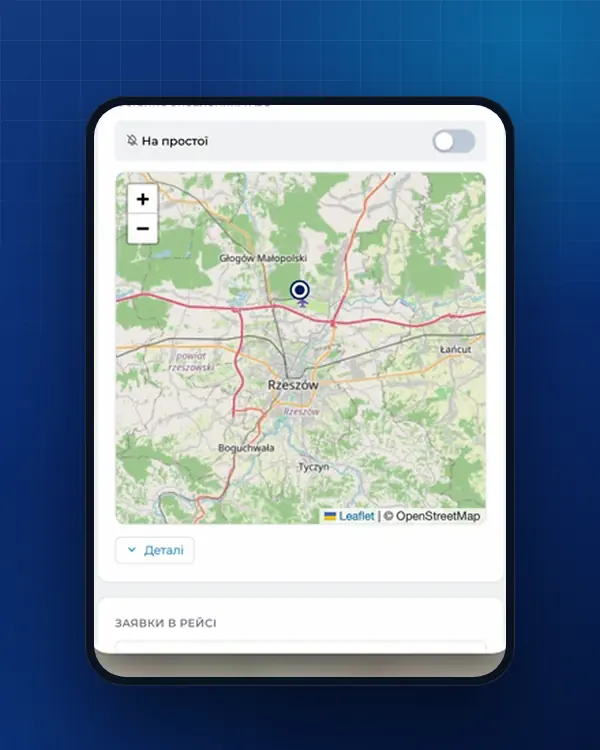
In “Wyświetl wszystkie”, “Anuluj” and “Zakończ” take the notification off the current trip - do not tap them halfway through Poland. To see whether PUESC sees the truck, use “Lokalizacja GPS (SENT/RMPD 406)”: the “Id lokalizatora”, RMPD number and plate, then “Pokaż na mapie”.
Dead phone or no mobile data: what to do
For SENT/RMPD the GPS and data icons turn orange after 10 minutes without an update and red after 60; the battery icon is orange at 20-50% and red below 20%. A paid trip is stricter: GPS and data turn red after 15 minutes.
| Situation | What happens | What to do |
|---|---|---|
| Data drops on the road | the trip continues, positions are stored on the phone | switch nothing off - data is sent when the connection returns |
| No data at the start | a SENT/RMPD trip can start offline, without choosing a notification | select your RMPD as soon as you are online |
| Battery below 20% | red battery icon | stop somewhere safe at once and plug in |
| Phone switched off | no positions; RMPD 406 shows the last point | charge, open e-TOLL PL and check the trip runs; if not, “Konfiguruj przejazd” again with the same RMPD |
| Locator down for over an hour | no geolocation is sent | stop at the nearest car park; move on when it works again or another working one is fitted (art. 10c of the SENT act) |
| Airplane mode (Android), location off, wrong clock | the app ends the trip | fix the cause, set automatic date and time, restart the trip |
The simplest insurance against a flat phone is a backup locator in the RMPD: an OBU or a second phone with e-TOLL PL. What the dispatcher should do once the signal is gone: RMPD 406: GPS signal lost.
When an OBU or ZSL is better, with e-TOLL PL as backup
The app is free but depends on the phone; an OBU or fixed ZSL tracker does not.
- e-TOLL PL as main - occasional trips, one or two trucks, a driver who keeps their phone charging.
- OBU or ZSL as main, e-TOLL PL as backup - regular trips through Poland, several trucks, changing drivers. The PUESC FAQ recommends this pair (07.13), and the register then records both devices.
- A fleet tracker only counts if its operator registered it in PUESC for SENT and issued a business number.
Common e-TOLL PL mistakes on an RMPD trip
- Only “Przejazd płatny” is on: tolls are paid, but there are no RMPD positions.
- The RMPD holds the old phone’s ID - the app shows “Brak zgłoszeń SENT/RMPD”.
- “Zakończ przejazd” tapped at the first fuel stop after the border instead of at the end of the Polish leg.
Missing positions under an RMPD mean a 10,000 zł fine for the carrier, so a one-minute RMPD 406 check after the border pays off. How the number and the check look on the driver’s phone: RMPD on the driver’s phone; SENT uses the same buttons - see SENT on the driver’s phone.
Who to call
- The app, the e-TOLL account, tolls - e-TOLL helpline +48 22 460 59 77: working days 6:00-22:00, weekends and public holidays 8:00-18:00, in Polish, English and Russian.
- Positions not reaching SENT or RMPD - PUESC Help Desk +48 22 330 03 30 from mobiles and abroad: 24/7 except 21:00-22:00, Polish only.
How we work with e-TOLL PL and what it costs
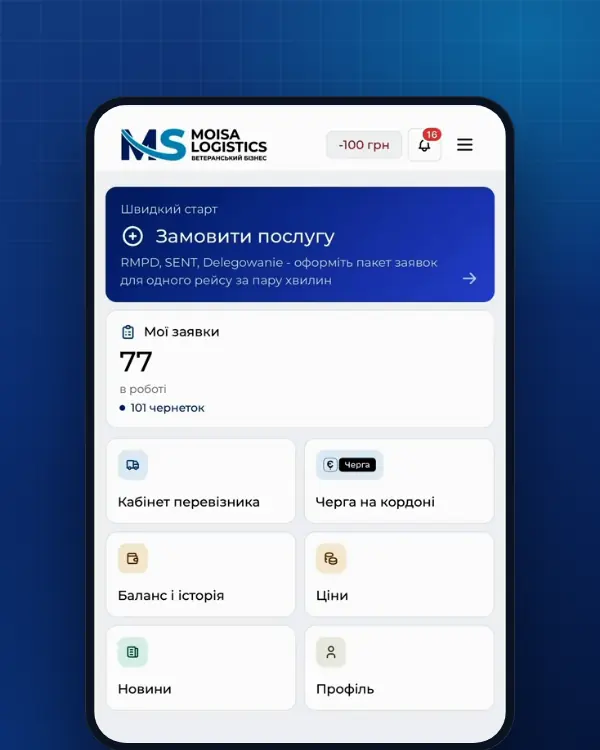
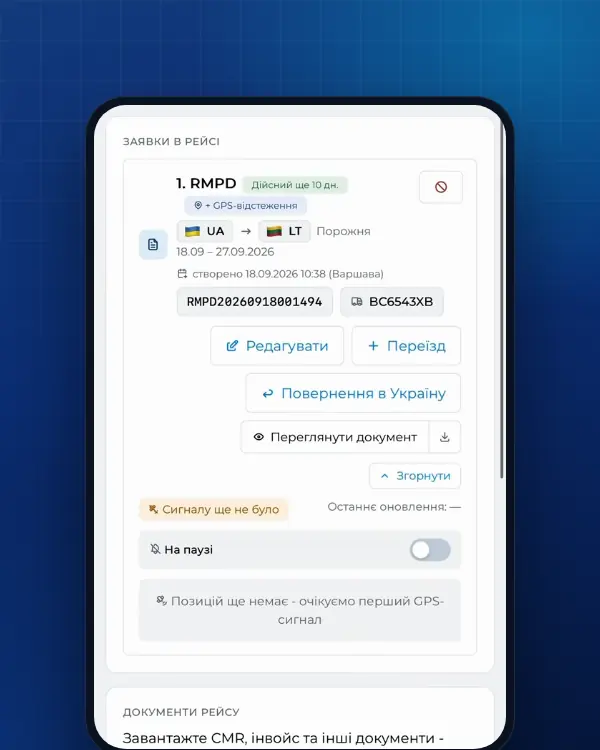
Save the driver’s e-TOLL PL ID once in the vehicle card of your Moisa Logistics account; the form flags a wrongly formatted number before filing. We or your dispatcher file the RMPD, the driver sees the number in the Moisa Logistics app, and tracking alerts you with the last PUESC point when GPS disappears.
- RMPD full service - 500 UAH per document, tracking included;
- RMPD self-service - 100 UAH, the first 10 days at 0 UAH;
- RMPD 406 tracking for a notification filed elsewhere - 50 UAH;
- we can also register your e-TOLL account and vehicle - see the prices page.
Frequently asked questions
Sources
- e-TOLL - Podręcznik użytkownika aplikacji mobilnej e-TOLL PL v. 3.13: języki, identyfikator biznesowy, przejazd SENT/RMPD i łączony, komunikaty w trakcie przejazdu, Lokalizacja GPS (SENT/RMPD 406)checked 21 November 2026
- e-TOLL - Aplikacja mobilna e-TOLL PL: instrukcja korzystania dla przejazdów SENT/RMPD (identyfikator biznesowy, Przejazd SENT/RMPD, Lokalizacja GPS SENT/RMPD 406, status baterii i GPS)checked 21 November 2026
- e-TOLL (українською) - Мобільний застосунок e-TOLL PL: інструкція з використання для поїздок SENT (бізнес-ідентифікатор; для перевезення лише SENT крок з Інтернет-кабінетом клієнта пропускається)checked 21 November 2026
- e-TOLL - e-TOLL PL mobile application, user manual for SENT/RMPD trips (English): business ID, “Pair with SENT/RMPD request”, SENT/RMPD route, GPS location (SENT/RMPD 406)checked 21 November 2026
- e-TOLL (українською) - Питання та відповіді: новий бізнес-номер після кожного встановлення застосунку, без прив’язки до заявки SENT/RMPD проїзди неможливіchecked 21 November 2026
- e-TOLL - Aplikacja e-TOLL PLchecked 21 November 2026
- e-TOLL - Kontakt: infolinia +48 22 460 59 77 (po polsku, angielsku i rosyjsku; dni robocze 6:00-22:00, soboty, niedziele i święta 8:00-18:00)checked 21 November 2026
- e-TOLL - Zmiana adresu serwisu Internetowe Konto Klienta (IKK): od 22.10.2026 ikk.etoll.gov.pl (21.10.2026)checked 21 November 2026
- e-TOLL - Mobile applications for e-TOLL and SENT (17.06.2021): SENT GEO driver application for SENT until 31.10.2021, from 01.11.2021 e-TOLL PL the only application; the dates were later moved: SENT GEO for SENT until 30.11.2021, e-TOLL PL the only application from 01.12.2021checked 21 November 2026
- PUESC - Aplikacje mobilne: „Aplikacja Kierowcy SENT GEO” na potrzeby SENT tylko do 30 listopada 2021 r.; od 1 grudnia 2021 r. jedyna aplikacja do przekazywania danych geolokalizacyjnych do systemu SENT to e-TOLL PLchecked 21 November 2026
- PUESC - Przekaż dane geolokalizacyjne pojazdu do rejestru SENT z wykorzystaniem aplikacji mobilnej e-TOLL PL (kroki, ikony baterii, GPS i transmisji dla SENT)checked 21 November 2026
- PUESC - Pomoc: Help Desk SISC (+48 22 330 03 30 z komórki i z zagranicy, +48 801 055 055 z telefonu stacjonarnego, całodobowo z przerwą 21:00-22:00, tylko po polsku; te same numery dla geolokalizacji e-TOLL)checked 21 November 2026
- PUESC - schemat XSD systemu SENT (STypes.xsd): numer referencyjny SENT + 14 cyfr, klucz przewoźnika KD-, numer lokalizatorachecked 21 November 2026
- PUESC - FAQ SENT, 07. Obsługa zewnętrznych systemów lokalizacji ZSL/OBU (07.05-07.20, aplikacja e-TOLL PL jako lokalizator zapasowy)checked 21 November 2026
- PUESC - Specyfikacja Techniczna Komunikatów Systemu RMPD, wersja 1.0 z 20.11.2024, i schematy XSD (archiwum RMPD_v20.11.2024): RMPD_101 edycja, RMPD_104 anulowanie, reguły R05, R06, R15, R26, statusy zgłoszeniachecked 21 November 2026
- Ustawa o systemie monitorowania drogowego i kolejowego przewozu towarów (SENT), tekst jednolity Dz.U. 2024 poz. 1218: art. 2, 3 ust. 6, 5-11, 13-17, 21-24, 31-32 (dla RMPD - przez art. 28b ust. 5 ustawy o transporcie drogowym)checked 21 November 2026
- Ustawa z dnia 6 września 2001 r. o transporcie drogowym, tekst jednolity Dz.U. 2025 poz. 1490 (art. 28, 28b, 28c, 89a1, załączniki nr 1 i 3)checked 21 November 2026
Need documents for a trip?
Create a free account and prepare the document in your account - by yourself or with our team’s hands. Or leave a request: we will call you and tell you what you need for your particular trip.
More news


We are on TikTok
How to prepare documents from your phone, what is changing for carriers and where to save - in short videos.