RMPD from phone: how to file RMPD 100 on a smartphone in PUESC or in the Moisa Logistics account
Filing an RMPD from phone is possible, but PUESC has no app of its own and the RMPD100 form is built for a big screen. We explain what is officially known about PUESC on a smartphone, how to get through filing in a mobile browser, what is easy to do from a phone (RMPD 406, Aktualizacja, the number at a roadside check), where mistakes happen most often and how to do it on a smartphone in the Moisa Logistics account.
 Moisa Logistics··8 min read
Key figures
RMPD from phone: the short answer
Yes, you can file an RMPD from a phone, but there is no separate PUESC app for it: the RMPD100 form opens on puesc.gov.pl in the smartphone browser, the same way as on a computer. From a phone it is easy to run an RMPD 406 check, change the trailer or locator through “RMPD - Aktualizacja” and show the number at a roadside check, while a complete new notification on a small screen is long and error-prone.
- The official Ministry of Finance apps listed by PUESC are Granica, Asystent Granica, mTAX FREE PL, e-TOLL PL and SENT DOSTAWY. None of them files RMPD100: e-TOLL PL only sends geolocation and shows the last position.
- The PUESC terms of use require an up-to-date Chrome, Firefox or Edge with JavaScript and cookies enabled. They say nothing about phones.
- After filing, the number is shown on screen, in “Mój pulpit | Dokumenty” and in an e-mail if an address is entered in the form. PUESC does not send text messages.
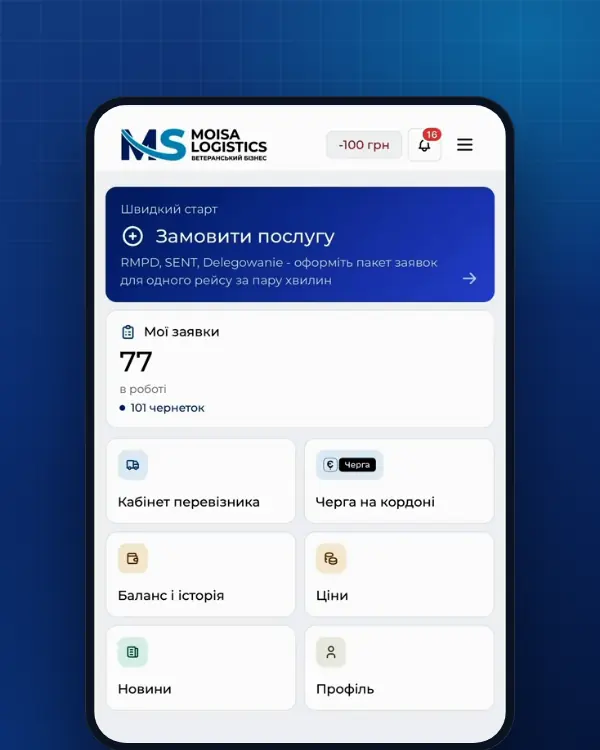
- The shortest route from a smartphone is the Moisa Logistics account in a browser or app: the same form with field checks, and the number and PDF arrive on the phone.
PUESC on a phone: what is officially known
On its “Aplikacje mobilne” page, PUESC lists the apps of the Ministry of Finance and the National Revenue Administration (KAS): Aplikacja Mobilna Granica (border waiting times), Asystent Granica (a guide to border crossings), mTAX FREE PL, e-TOLL PL and SENT DOSTAWY with a training version. For RMPD there is only e-TOLL PL: according to PUESC, it handles monitoring of RMPD journeys, so it works as a locator and shows the position, not as a notification form. There is no app called PUESC on the list.
The portal itself is a website. The PUESC terms of use (version in force from 16.06.2026, § 2(7)) set three technical conditions: internet access, Google Chrome, Mozilla Firefox or Microsoft Edge in the current stable version, and JavaScript and cookies enabled. Screen size and mobile devices are not mentioned, and we found no official announcement of a separate mobile version of PUESC. In our experience the forms do open in a mobile browser, but they are designed for a computer: a long form on a phone means a lot of scrolling and zooming.
How to file RMPD 100 from a phone in PUESC: step by step
The GITD instruction describes three RMPD forms under the “Formularze” tab: RMPD100 - registering the carriage, “RMPD - Aktualizacja” - changing a filed notification, and RMPD406 - status check. The route on a smartphone is the same as on a computer:
- Account. For RMPD the basic access level is enough. Register in advance - how to do it is covered in PUESC registration and login.
- Login. The login is your e-mail address, the password is yours. If you turned on two-factor login, the code comes from Google Authenticator on the phone. Three wrong passwords lock the account for 30 minutes.
- Form. “Formularze” → “RMPD100 - Rejestracja przewozu przez przewoźnika”. The sections are the same as on a computer: carrier, dates, countries, cargo, permit, crossing or address in Poland, vehicle and locator. What goes into each field is in the guide RMPD 100 in PUESC.
- E-mail for the confirmation. PUESC asks directly for the address that will receive the confirmation with the number. Enter the mailbox your dispatcher reads: the form schema accepts up to three addresses.
- Submit. “Zatwierdź” - and PUESC shows the confirmation with the number on screen. The same confirmation is stored in “Mój pulpit | Dokumenty” and sent by e-mail.
- The number goes to the driver. Before the carriage in Poland starts (art. 28c). Without the number the driver must refuse to start the carriage.
If PUESC is slow to respond, do not press “Zatwierdź” a second time: check “Mój pulpit | Dokumenty” first, or you may end up with two notifications for the same trip.
What is easy on a phone and what is not
| Task | From a phone | What to watch |
|---|---|---|
| RMPD 406 check | Easy | Three fields: RMPD number, registration number, locator number. In e-TOLL PL - the “Lokalizacja GPS (SENT/RMPD 406)” button, then “Wyszukaj” |
| Showing the number at a roadside check | Easy | The law requires the number, not a form (art. 87(1)(8)): the number on the screen is the same number |
| RMPD - Aktualizacja: another trailer, crossing, new phone as locator | Possible | You need the RMPD number; a new start date is allowed up to 9 days from registration (R15) |
| Cancellation | Possible | Only before the start date of the carriage (R26) |
| A new RMPD100 | Possible, but slow | Dozens of fields, PUESC lists, a province and coordinates for an address in Poland |
| PUESC registration | Better in advance | The e-mail code must be entered within 24 hours; registering a company for SENT takes several days to verify |
How RMPD 406 works and what to do when it shows something unexpected is covered in RMPD 406: what it is and when you need it.
Where mistakes happen most on a smartphone
- Non-Latin keyboards. PUESC accepts only the Latin alphabet with Polish letters (rule R01 of the RMPD specification). Switch the keyboard before typing the company name and address, whether your phone is set to Cyrillic, Georgian or Turkish.
- Spaces and autocorrect in numbers. Tractor and trailer numbers are letters and digits only, without spaces or hyphens. Phones like to add a space or a capital letter on their own: turn autocorrect off while filling in the form.
- Typing the locator number from memory. The last digit is a check digit, and PUESC rejects a number with a typo. In e-TOLL PL the identifier can be copied or shared - do not retype it.
- Crossing and address. The border crossing is picked only from the PUESC list with a road number, and an address in Poland needs a province and coordinates (R12). On a phone without a map at hand, this is the longest step.
- Date. The start date can be no earlier than today and no later than 9 days ahead (R06). An RMPD filed “just in case” a week early eats into the ten days the number is valid.
- Waiting for a text message. The SMS phone field in the RMPD schema is marked “obecnie niewykorzystywane” - not used at present. Look for the number on screen, in “Dokumenty” and in your e-mail.
RMPD from a phone in the Moisa Logistics account
The Moisa Logistics account works in a phone browser, and there is an app for iOS and Android - the same account, just handier on the road. An RMPD from a smartphone can be done there in two ways:
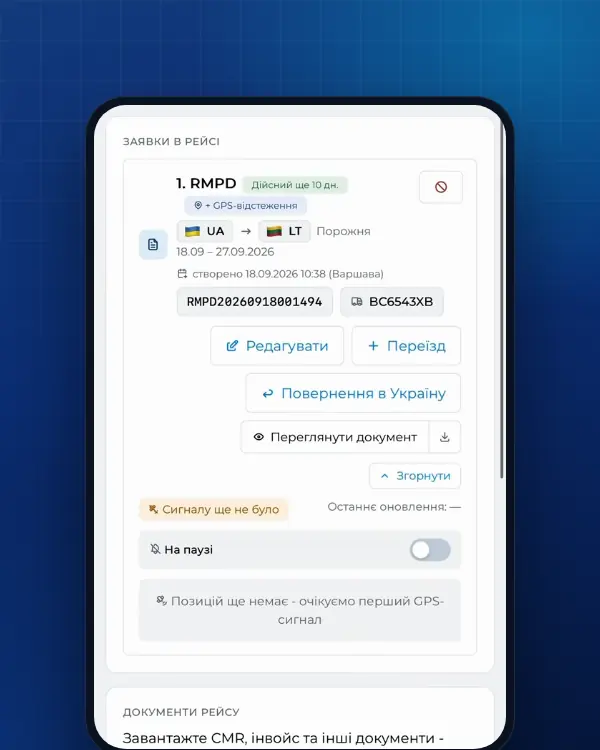
- “Prepared by you” - 100 UAH, the first 10 days - 0 UAH. Your dispatcher fills in the same form as in PUESC, and when you confirm, the form scrolls to the first error and highlights it in red: you see the mistake before PUESC does, not after. For a similar trip you can copy the previous order and only change dates and numbers on the phone. The document is generated right away, even at night.
- “Prepared by us” - 500 UAH. You enter the key data and attach the CMR - a photo taken with the phone camera is fine; our specialist fills in the rest, and a colleague re-reads it before filing.
When the document is ready, you get a push notification and an e-mail. The order card holds the RMPD number, how many days it is still valid and the PDF, along with edit and cancel. RMPD 406 tracking is included in the price on both options. Screenshots and every step are in how to file an RMPD online with Moisa Logistics.
For the driver: number and geolocation on the same phone
This article is about how to file an RMPD on mobile. What the driver’s phone should hold after filing - the number, the PDF, e-TOLL PL and what to show the inspector - is covered separately in RMPD on the driver’s phone. In short:
- In the Moisa Logistics app the driver signs in as a driver with their phone number and the company code and sees the RMPD number among the trip documents.
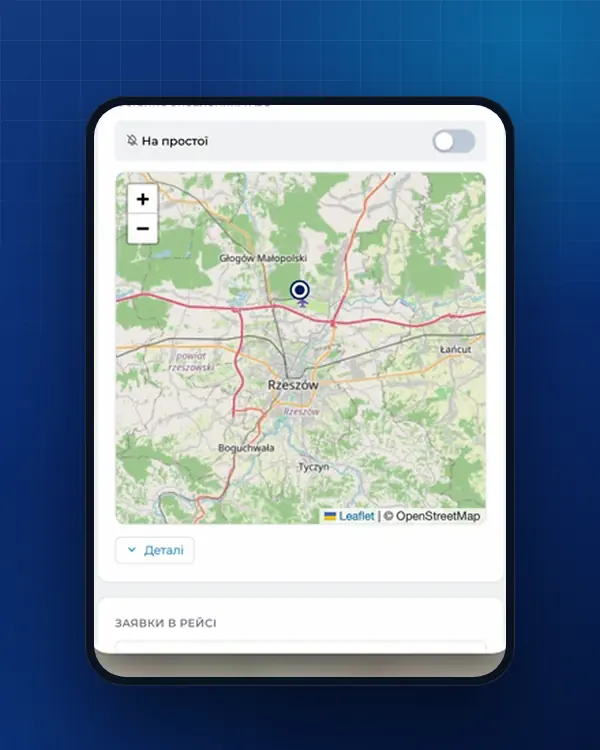
- If the locator is e-TOLL PL on the same phone, the app needs internet, location turned on and, on Android, battery optimisation turned off (e-TOLL PL instruction).
- A new phone means a new e-TOLL PL identifier. It goes into the RMPD through “RMPD - Aktualizacja”, otherwise the position is not linked to the notification.
What an RMPD from a phone costs
Filing in PUESC itself is free. At Moisa Logistics: RMPD self-service - 100 UAH, the first 10 days - 0 UAH; RMPD full service - 500 UAH; RMPD 406 tracking for an RMPD prepared elsewhere - 50 UAH. We file either from your company’s PUESC account or from our own access - as you prefer.
Frequently asked questions
Sources
- PUESC - Aplikacje mobilne: Granica, Asystent Granica, mTAX FREE PL, e-TOLL PL (monitorowanie przejazdów RMPD), SENT DOSTAWYchecked 21 November 2026
- PUESC - Regulamin korzystania z PUESC, wersja od 16.06.2026: § 2 ust. 7 (internet, przeglądarka Chrome, Firefox lub Edge w aktualnej wersji, JavaScript i cookies)checked 21 November 2026
- PUESC - Logowanie do konta PUESC: login i hasło, Login.mf.gov.pl (mObywatel), logowanie dwuskładnikowe z Google Authenticator, blokada na 30 minut po trzech błędnych hasłachchecked 21 November 2026
- PUESC - Wyślij zgłoszenie przewozu (RMPD): złożenie i aktualizacja zgłoszeniachecked 21 November 2026
- GITD - Zgłoszenie międzynarodowych przewozów drogowych w rejestrze zgłoszeń SENT - Rejestr RMPD (instrukcja)checked 21 November 2026
- PUESC - Specyfikacja Techniczna Komunikatów Systemu RMPD, wersja 1.0 z 20.11.2024, i schematy XSD (archiwum RMPD_v20.11.2024): RMPD_101 edycja, RMPD_104 anulowanie, reguły R05, R06, R15, R26, statusy zgłoszeniachecked 21 November 2026
- e-TOLL - Aplikacja mobilna e-TOLL PL: instrukcja korzystania dla przejazdów SENT/RMPD (identyfikator biznesowy, Przejazd SENT/RMPD, Lokalizacja GPS SENT/RMPD 406, status baterii i GPS)checked 21 November 2026
- Ustawa z dnia 6 września 2001 r. o transporcie drogowym, tekst jednolity Dz.U. 2025 poz. 1490 (art. 28, 28b, 28c, 89a1, załączniki nr 1 i 3)checked 21 November 2026
- Ustawa o systemie monitorowania drogowego i kolejowego przewozu towarów (SENT), tekst jednolity Dz.U. 2024 poz. 1218: art. 2, 3 ust. 6, 5-11, 13-17, 21-24, 31-32 (dla RMPD - przez art. 28b ust. 5 ustawy o transporcie drogowym)checked 21 November 2026
Need documents for a trip?
Create a free account and prepare the document in your account - by yourself or with our team’s hands. Or leave a request: we will call you and tell you what you need for your particular trip.
More news

We are on TikTok
How to prepare documents from your phone, what is changing for carriers and where to save - in short videos.