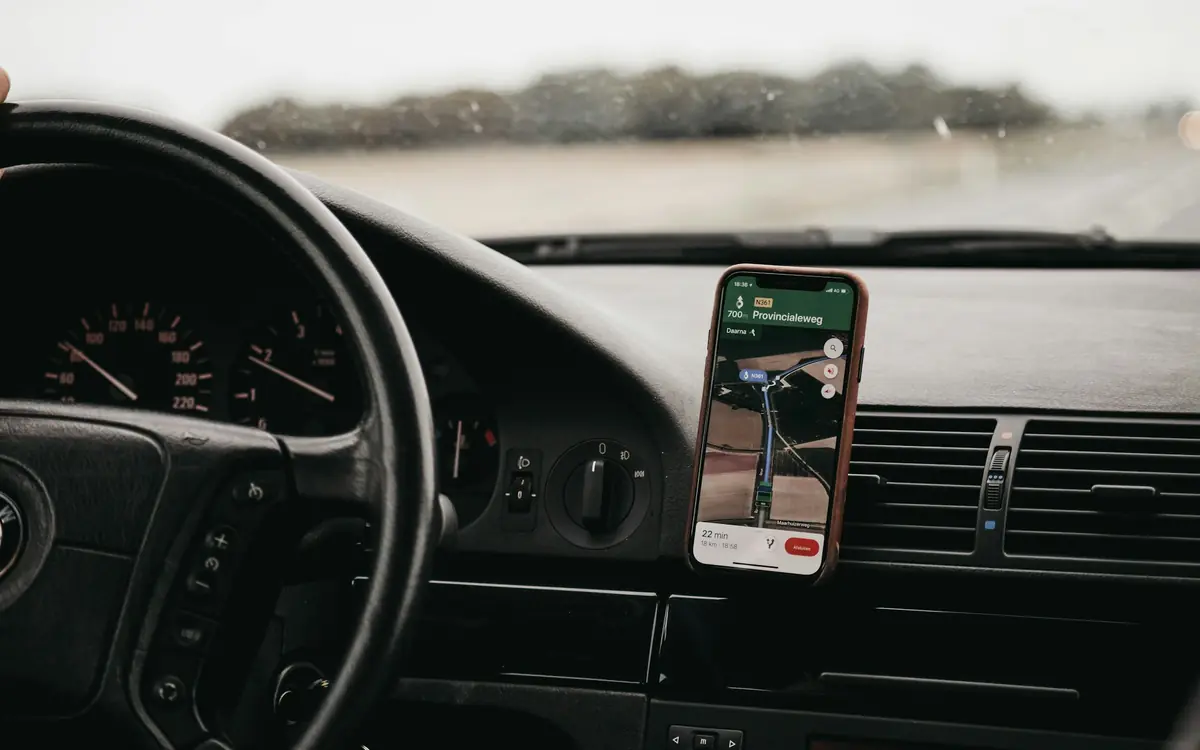
cloudGPS and GlobusCloud (SKT “Globus”): connecting a tracker to RMPD tracking
cloudGPS and RMPD, “Globus” GPS and RMPD - the question is the same: how to see your own tracker next to trip tracking. A tracker on the cloudGPS platform - in client.cloudgps.online, in GlobusCloud from SKT “Globus” or on a dealer’s site - connects to your Moisa Logistics account with a glb_ token that only gives a view of vehicles and coordinates. It does not become a locator for the RMPD. Below: four steps, what you will see in the account and the usual mistakes.
 Moisa Logistics··7 min read
Key figures
cloudGPS and RMPD: the short answer
cloudGPS is a telematics platform for GPS companies and integrators. It runs its own account site client.cloudgps.online, GlobusCloud from SKT “Globus” (globus.cloudgps.online) and dealers’ sites. To see such trackers in your Moisa Logistics account, the company owner creates a token with devices:read and telemetry:read in the cloudGPS profile and pastes it into the “Access key” field. The token only gives a view of vehicles and their coordinates; we change nothing in your cloudGPS account.
For the RMPD this distinction matters: the connected tracker is visible in the account, but it does not send positions to PUESC through us. The number for the notification is the e-TOLL PL app, an OBU or a ZSL device of an operator registered in e-TOLL.
- Where you see it: the “Fleet map” - every vehicle with a tracker, on a trip or not; tracking of an order with an RMPD - the dashed tracker line.
- What it gives you: the account tells a stop from a signal loss and warns you when the truck is moving while PUESC gets no positions.
- Who connects it: the company owner, Profile → “Integrations” → “GPS trackers”.
A “Globus” or cloudGPS tracker in an RMPD: what goes into the notification
An RMPD cannot be filed without a locator or device number: it is a mandatory field (Art. 28b(3)(12) of the Polish Road Transport Act), and positions from that device must reach PUESC along the whole route in Poland (Art. 28b(5)). The SENT Act recognises two sources of positions: a locator - in practice the e-TOLL PL app on the driver’s phone - and an external location system (ZSL), a device fitted permanently in the vehicle by a ZSL operator; there is also the portable OBU on-board unit. Only the operator registers a device in PUESC - for e-TOLL, for SENT or for both (PUESC FAQ 07.05) - and the operator issues the business number starting with Z or U.
The cloudGPS platform says on its website that it has a ready integration with SENT-GEO and e-TOLL. Whether such transmission is switched on for your vehicle, who operates it and which number goes into the RMPD is known to your dealer or SKT “Globus” - confirm it with them. You can also check the operator yourself: the official list of OBU/ZSL operators and devices admitted to e-TOLL is at etoll.gov.pl in the “OBU and ELS on-board devices” section (version of 06.11.2026). Make sure the device is registered for SENT specifically: a device registered only for e-TOLL gives no positions in RMPD 406 (FAQ 07.15).
Until you have a ZSL number, the main locator is the e-TOLL PL app on the driver’s phone. How to set up a main and a backup locator and what a correct number looks like is in the article GPS locator for RMPD and SENT; how trips end with a tracker that is not in SENT - in the article car transporters and GPS fines in Poland. Which other systems connect to the account and how a fleet tracker differs from a locator is covered in the overview GPS tracker for RMPD and SENT.
What a cloudGPS tracker shows in your Moisa Logistics account
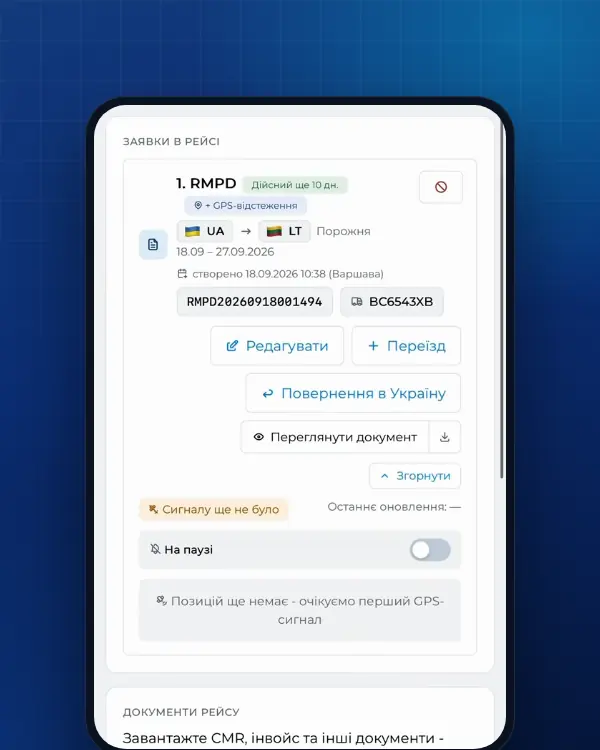
For RMPD tracking the account takes positions from PUESC. The cloudGPS tracker gives a second, independent picture, and the account compares the two:
| PUESC | cloudGPS tracker | What the account does |
|---|---|---|
| Receives positions | Shows movement | The PUESC line and the dashed tracker line for the order run side by side, the status is live |
| Silent | The truck is stopped | Status “Stopped · per tracker”: a pause, not a signal loss, so we send no alert; when it moves, we check again |
| Silent | The truck is moving | Status “Fine risk” and an alert: check the locator or the driver’s app |
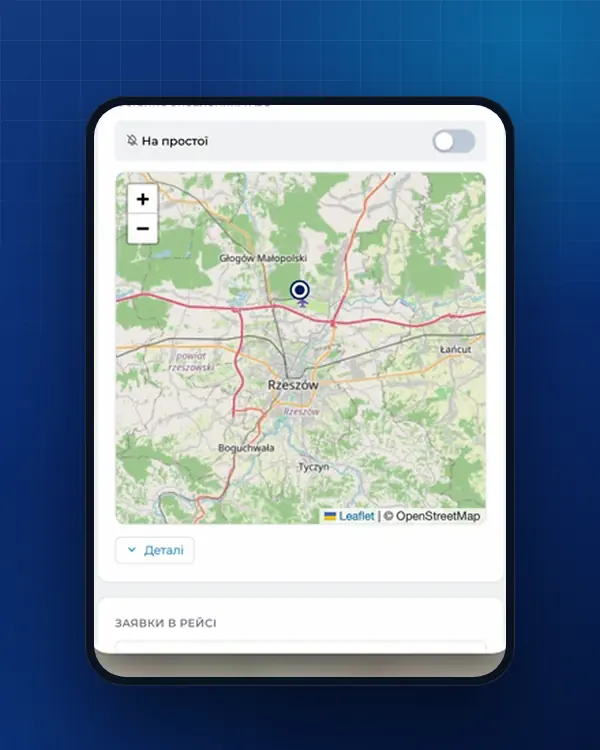
| The truck is not on a trip | Shows the location | On the “Fleet map” the truck is marked “Not on a trip - location from tracker” with the time of the last point |
Tracker data refreshes every 5 minutes. We are not a government service: if PUESC gets no positions, the cause is the locator, the driver’s app or the mobile operator, and it is found on the spot. A step-by-step plan for that case is in the article RMPD 406: GPS signal lost.
How to connect cloudGPS or GlobusCloud: 4 steps
The company owner does the connecting. First, in the cloudGPS account:
- Sign in to cloudGPS (client.cloudgps.online) or GlobusCloud (SKT “Globus”) - where you see your vehicles.
- Open “Profile” → the “API” tab.
- Create a token with the devices:read and telemetry:read permissions.
- Copy the token - it starts with glb_.
Then, in your Moisa Logistics account:
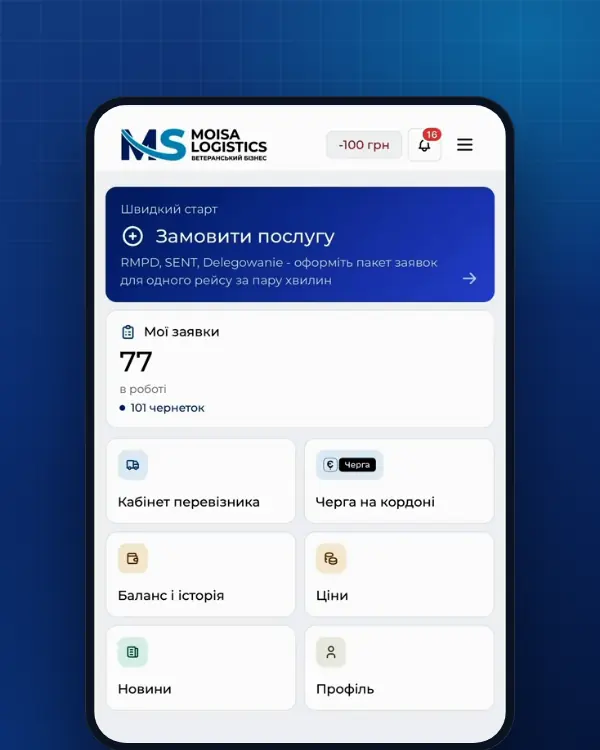
- Profile → the “Integrations” tab → the “GPS trackers” section. Pick the cloudGPS or SKT “Globus” tile among the GPS providers, or the cloudGPS system directly.
- In the “System site” field choose cloudGPS or GlobusCloud - wherever you sign in. If your dealer has their own address, choose “Other address…” and enter the site where you sign in.
- Paste the token into “Access key” and click “Check and connect”.
The “Step-by-step guide” button on the card shows these same steps. The “GPS trackers” section (Profile → “Integrations”) is in every company’s account, and the company owner does the connecting.
After connecting: matching, several accounts, disconnecting
Vehicles are matched to the fleet by licence plate on their own; the card shows “Trackers: N, matched to vehicles: M”. Whatever was not matched, pick in the tracker list under the card - a vehicle from the fleet or “Not from the fleet”. Data refreshes every 5 minutes, and the vehicles show up on the “Fleet map”.
Some trucks in one account and some in another? Under the connected card there is an “Add another cloudGPS account” button: the second token connects the same way. To withdraw access, click “Disconnect” - we delete it on our side and the trackers disappear from the map. Delete the token itself in the cloudGPS or GlobusCloud account: after that the access is gone.
Example: Shehyni - Medyka and two accounts
A company has six tractor units: a dealer on GlobusCloud serves four, two are in client.cloudgps.online (the example is made up). The owner connects both accounts and all six trucks appear on the “Fleet map”. A truck with an RMPD crosses at Shehyni - Medyka; the main locator in its RMPD is the e-TOLL PL app on the driver’s phone.
- The order’s tracking block shows the PUESC line and the dashed cloudGPS tracker line.
- Past Przemyśl, PUESC gets no positions while the tracker shows movement: the account sets “Fine risk” and sends an alert. The dispatcher calls the driver - only the toll trip was started in the e-TOLL PL app, without “Przejazd SENT/RMPD”.
- Where there is a dashed line but no PUESC line, you see how far the truck drove without positions in PUESC.
If the locator is silent for more than an hour, the driver must stop at the nearest parking place (Art. 10c of the SENT Act), and the carrier faces 10,000 zł for missing geolocation in the RMPD.
Common mistakes with the cloudGPS token
| What you see | What to check |
|---|---|
| “The system does not accept this key” | Whether the token was copied in full, with glb_ at the start, and whether it was deleted in the cloudGPS account |
| “The GPS system returned no vehicles” | Whether you see the vehicles in the account where the token was created, and whether the token has devices:read and telemetry:read |
| The connection fails although the token is new | The “System site” must be the account where you sign in and created the token: cloudGPS, GlobusCloud or the dealer’s “Other address…” |
| The account is already connected to another company | This cloudGPS account is already connected to another company in Moisa Logistics - write to support |
| The vehicle is in cloudGPS but not on the map | The plate is written differently from the fleet: pick the vehicle manually in the tracker list |
| The tracker is on the map, but RMPD 406 shows no positions | The tracker is not registered in SENT, or the RMPD carries another number: check the locator number and, if needed, enter e-TOLL PL with an RMPD 101 correction |
What RMPD tracking costs
- For an RMPD made with Moisa Logistics, tracking is already included: full service - 500 UAH per document, self-service in the account - 100 UAH (the first 10 days - 0 UAH).
- For an RMPD made elsewhere - RMPD 406 at 50 UAH: a route map from PUESC data and an alert when GPS disappears.
Order: RMPD full service, RMPD self-service or RMPD 406. What each tracking status means is explained in the article why RMPD 406 and trip tracking.
Frequently asked questions
Sources
- Ustawa z dnia 6 września 2001 r. o transporcie drogowym, tekst jednolity Dz.U. 2025 poz. 1490 (art. 28, 28b, 28c, 89a1, załączniki nr 1 i 3)checked 21 November 2026
- Ustawa o systemie monitorowania drogowego i kolejowego przewozu towarów (SENT), tekst jednolity Dz.U. 2024 poz. 1218: art. 2, 3 ust. 6, 5-11, 13-17, 21-24, 31-32 (dla RMPD - przez art. 28b ust. 5 ustawy o transporcie drogowym)checked 21 November 2026
- PUESC - FAQ SENT, 07. Obsługa zewnętrznych systemów lokalizacji ZSL/OBU (07.05-07.20, aplikacja e-TOLL PL jako lokalizator zapasowy)checked 21 November 2026
- e-TOLL - Urządzenia pokładowe OBU i ZSLchecked 21 November 2026
- e-TOLL - Lista Operatorów i urządzeń OBU/ZSL dopuszczonych do systemu e-TOLL (wersja z 06.11.2026)checked 21 November 2026
- e-TOLL - Aplikacja mobilna e-TOLL PL: instrukcja korzystania dla przejazdów SENT/RMPD (identyfikator biznesowy, Przejazd SENT/RMPD, Lokalizacja GPS SENT/RMPD 406, status baterii i GPS)checked 21 November 2026
- cloudGPS - незалежна телематична платформа для інтеграторів і GPS-компаній: вхід client.cloudgps.online, White Label для дилерів, інтеграція з PUESC SENT-GEO та e-TOLLchecked 21 November 2026
- GlobusCloud (СКТ «Глобус») - вхід у кабінет на платформі cloudGPSchecked 21 November 2026
Need documents for a trip?
Create a free account and prepare the document in your account - by yourself or with our team’s hands. Or leave a request: we will call you and tell you what you need for your particular trip.
More news

We are on TikTok
How to prepare documents from your phone, what is changing for carriers and where to save - in short videos.